Threat Intelligence Explorer🔗
Threat Intelligence Explorer provides comprehensive access to threat intelligence gathered by our Secureworks Counter Threat Unit™ (CTU). This powerful tool enables security analysts to explore and investigate malware families, threat groups, and detailed threat reports to enhance their understanding of the current threat landscape.
Overview🔗
The CTU maintains one of the industry's most comprehensive threat intelligence databases, continuously updated with insights from:
- Over 1,000 incident response engagements annually
- Real-time monitoring of global threat activities
- Deep technical analysis of malware and attack campaigns
- Collaboration with industry partners and government agencies
Threat Intelligence Explorer makes this valuable intelligence accessible through an intuitive interface designed for security professionals.
Access Threat Intelligence Explorer🔗
To access Threat Intelligence Explorer, select Threat Research from the Taegis Menu.
Threat Intelligence Explorer is organized into three main tabs, each focusing on a specific area of threat intelligence:
- Malware: Information about malware families and variants
- Threat Report: CTU-published reports and analyses
- Threat Group: Known threat actor groups and their activities
Search Threat Intelligence Explorer🔗
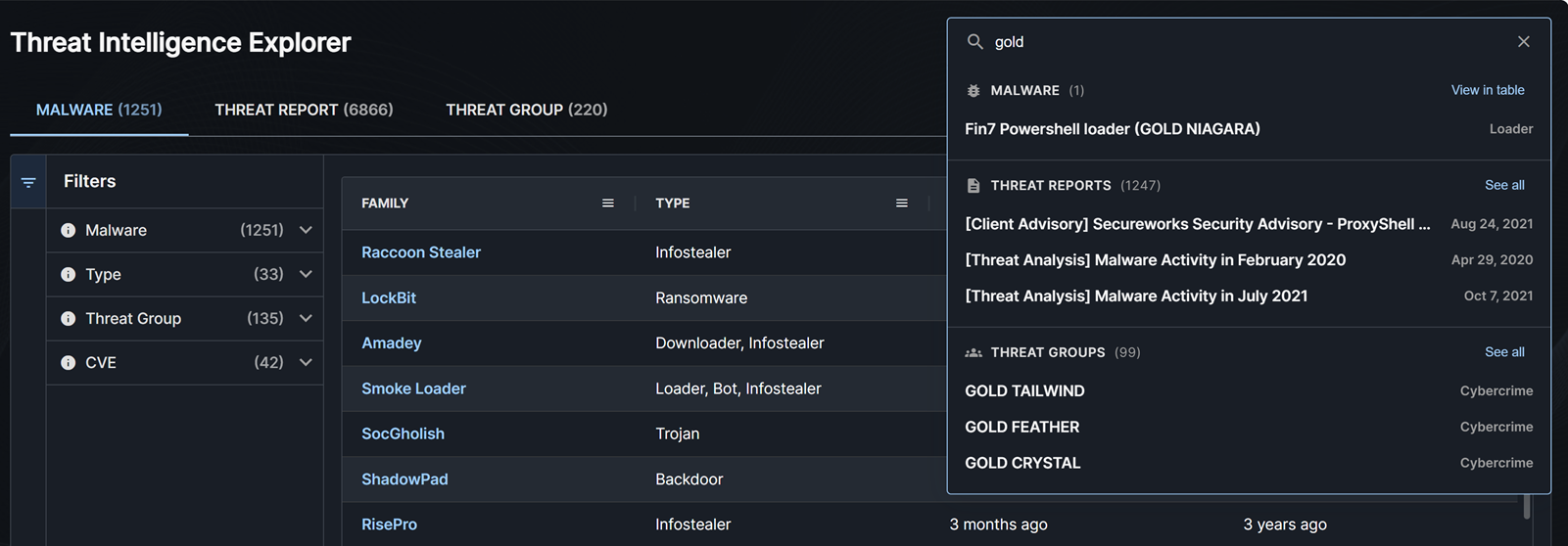
You can search through all malware, threat reports, and threat groups using the search bar at the top right of the page. To do so, enter a search term and then take one of the following actions:
- Click a specific malware, threat report, or threat group from the results to view the details.
- Click View in table or See all to go to the malware, threat report, or threat group table filtered to the results of your search.
- Click the X at the right of the search field to clear your search and reset any filters in the tables.
Malware Tab🔗
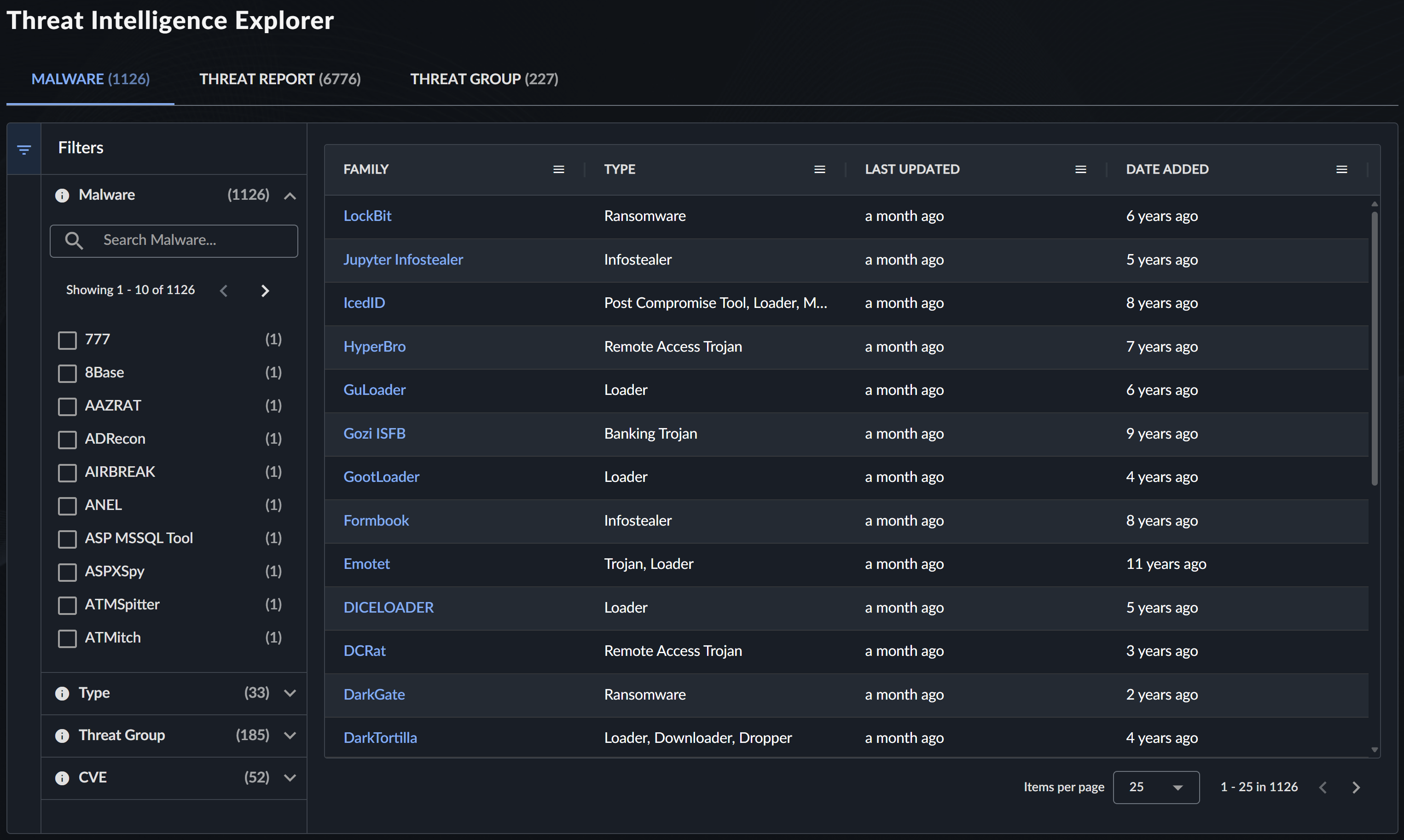
The Malware tab provides detailed information about known malware families, including technical analysis, indicators of compromise, and associated threat actors.
By default, the table is sorted first by the threat priority set by the CTU for the malware families that are key or current threats to customers, and second by the last updated time.
Filter Malware Information🔗
Use the following filters to find specific malware information:
| Filter | Description | Examples |
|---|---|---|
| Malware | Search by malware family name | "Emotet", "TrickBot" |
| Type | Filter by malware classification | Trojan, Ransomware, Backdoor |
| Threat Group | Malware associated with specific threat groups | GOLD MYSTIC, BRONZE BUTLER |
| CVE | Malware exploiting specific vulnerabilities | CVE-2021-34527, CVE-2021-44228 |
Malware Details View🔗
Select a malware entry to open a panel that contains the following information. Click the New Tab icon in the panel to view the details in a new tab. From there, you can copy the URL to link directly to the malware details.

Summary and Technical Details🔗
- Malware Family Overview: Description and classification
- Technical Analysis: Behavior, capabilities, and indicators
- Solution and Mitigation: Recommended protective measures
Associated Intelligence🔗
-
Threat Group: Groups known to use this malware
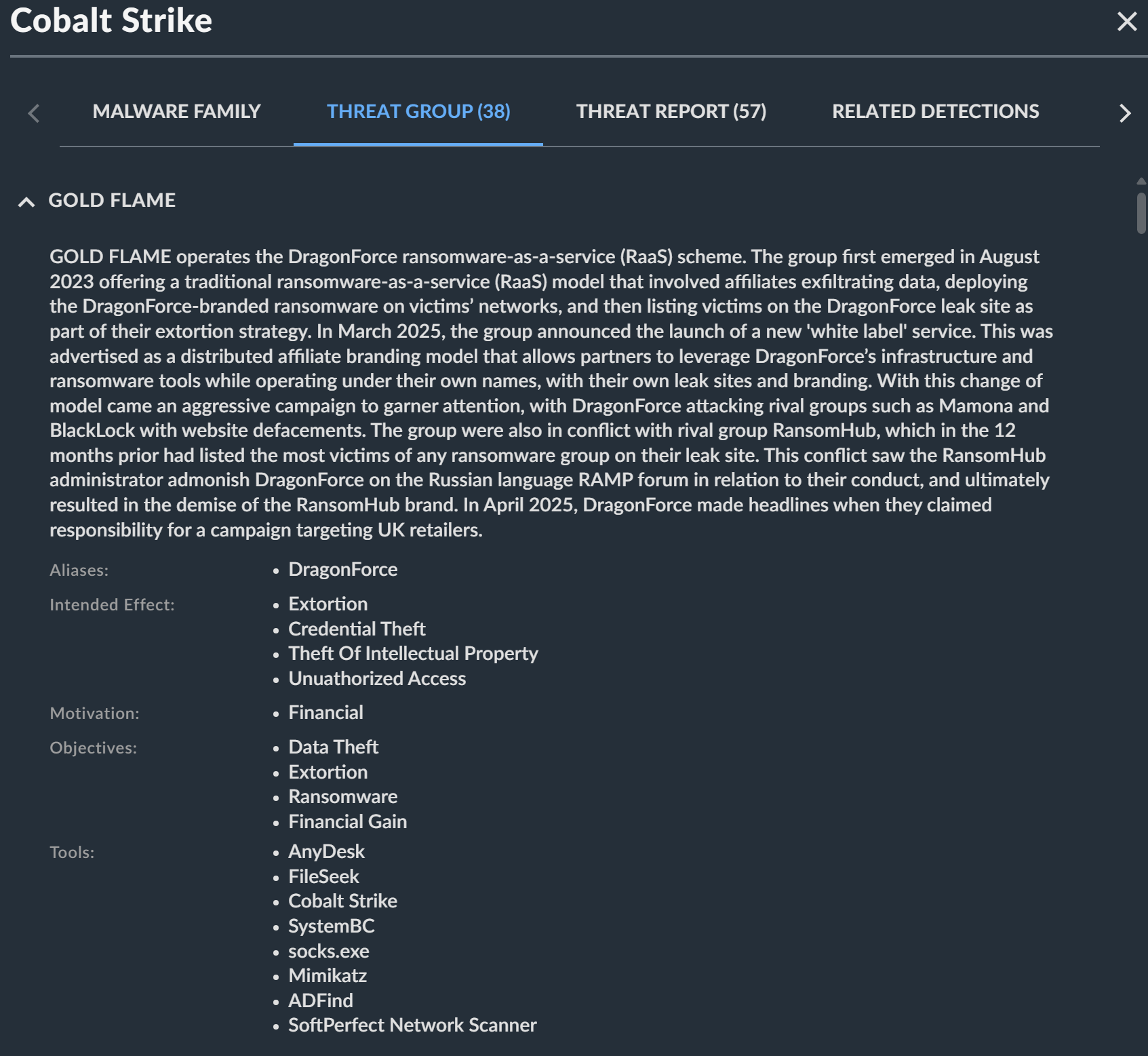
Associated Threat Groups -
Threat Report: Related CTU reports
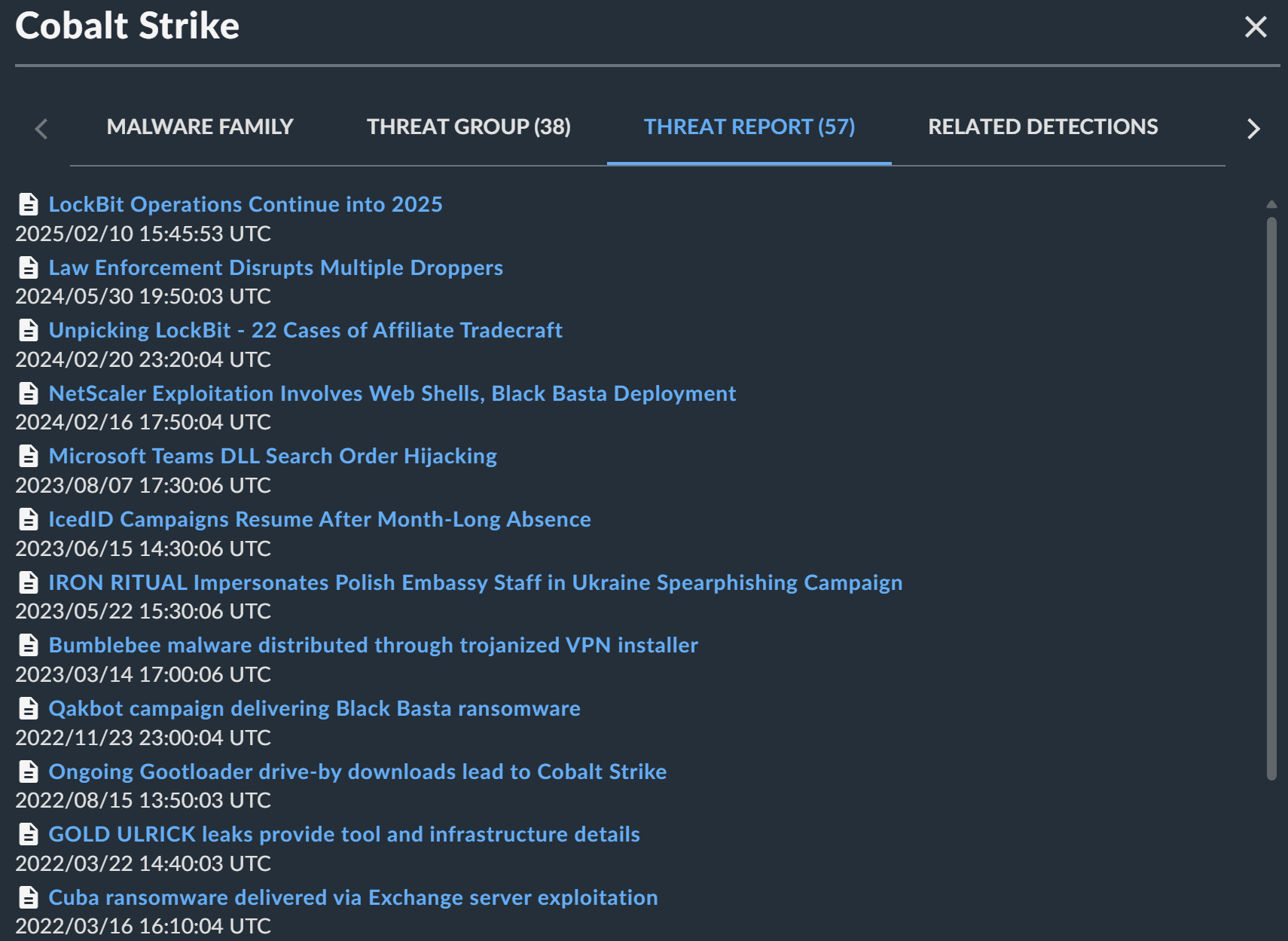
Associated Threat Reports -
Related Detections: Detection data from your environment
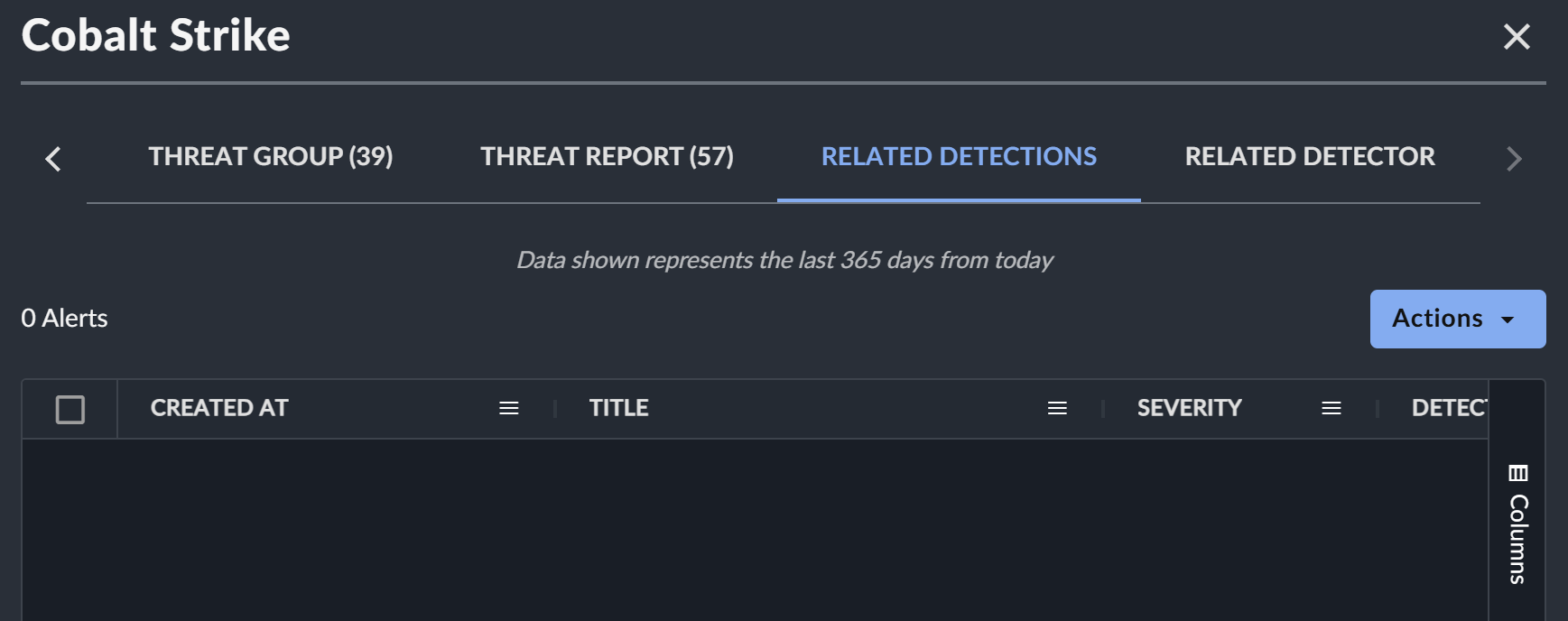
Associated Detections Use the Actions menu to interact with the detections in the table.
-
Related Detectors: XDR detectors that identify this malware
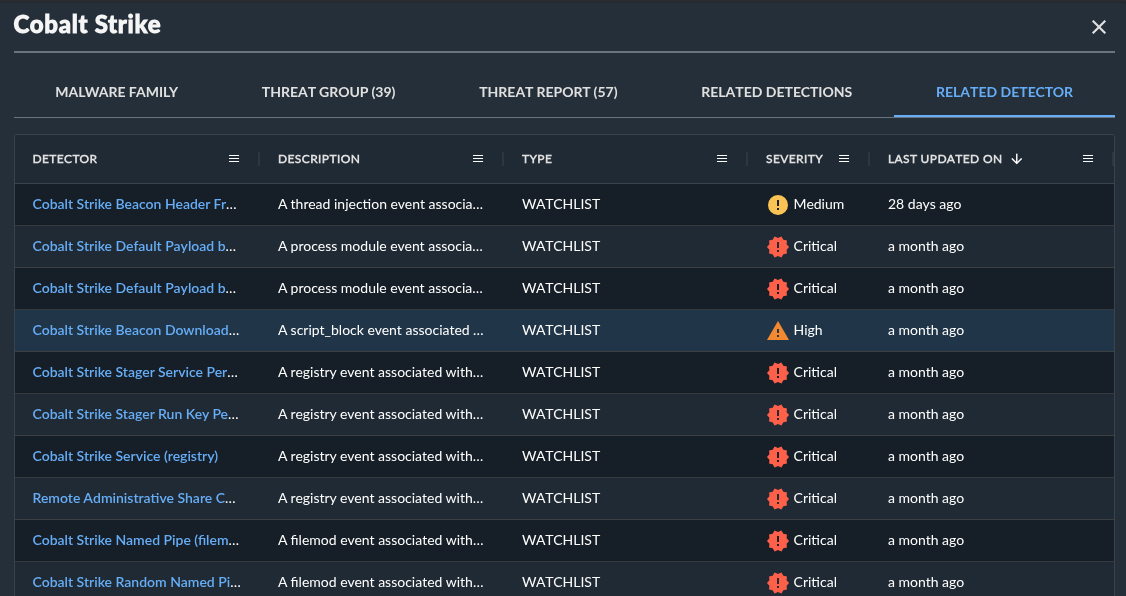
Associated Detectors
Threat Report Tab🔗
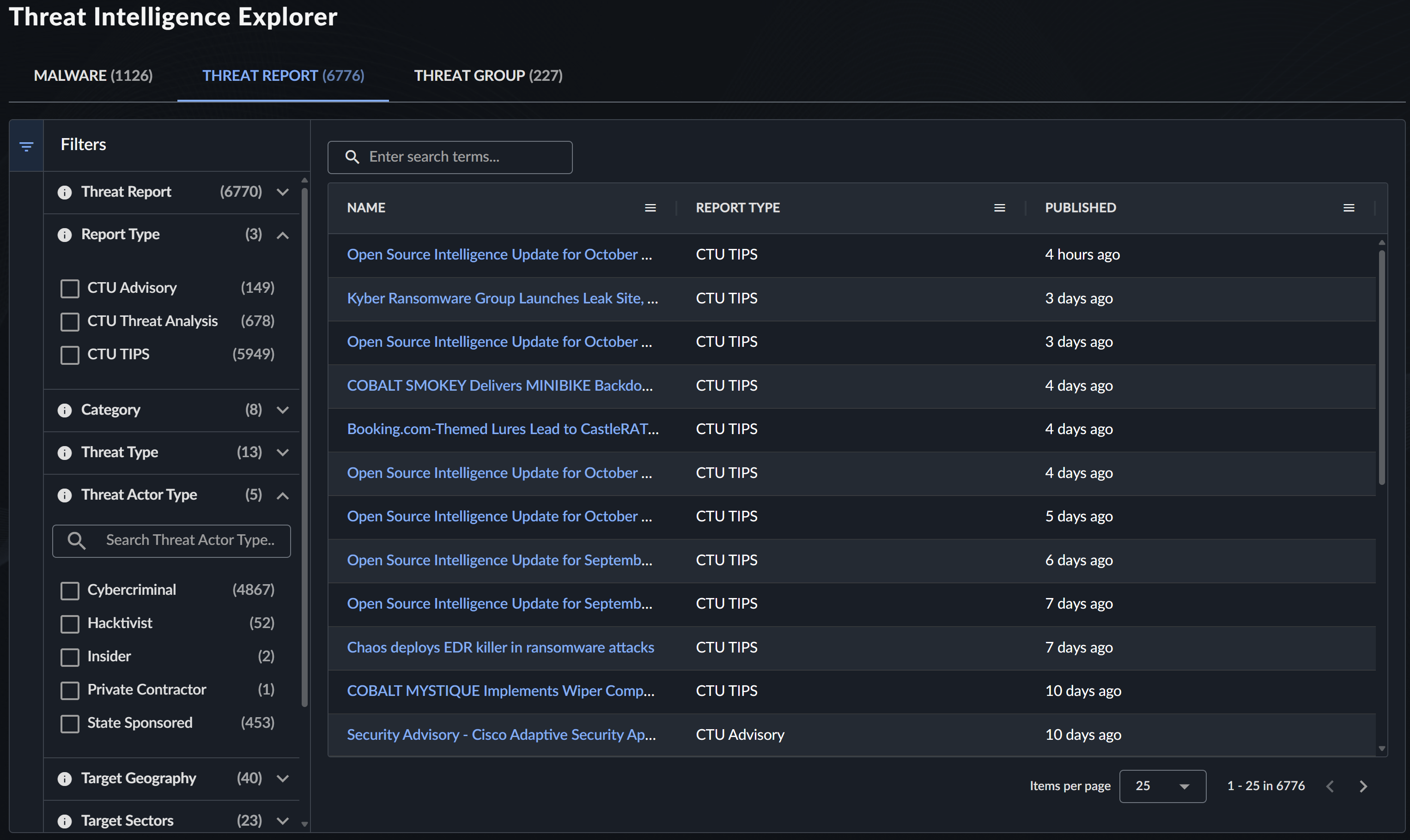
The Threat Report tab provides access to the complete library of CTU threat intelligence reports, including daily briefings, in-depth analyses, and threat advisories. For more information, see Threat Intelligence Reports.
Filter Threat Reports🔗
Use the following comprehensive filtering options to find specific reports:
| Filter | Description | Examples |
|---|---|---|
| Threat Report | CTU Report Name | "Daily Threat Brief", "Ransomware Analysis" |
| Report Type | General publication category | Advisory, Analysis, Brief |
| Category | Specific publication type | Customer Advisory, Threat Analysis, CTU TIPS |
| Threat Type | Category of threats discussed | Ransomware, APT, Cybercrime |
| Threat Actor Type | Type of threat actors covered | Nation-state, Cybercriminal, Hacktivist |
| Target Geography | Geographic focus of threats | North America, Europe, Global |
| Target Sectors | Industry sectors discussed | Financial, Healthcare, Government |
| Threat Group | Specific threat groups mentioned | GOLD MYSTIC, BRONZE ATLAS |
| Malware | Malware families discussed | Emotet, Ryuk, Cobalt Strike |
| CVE | Vulnerabilities discussed | CVE-2021-34527 |
Note
All regions and sectors may be at risk from opportunistic attacks that do not have specific targeting preferences.
Threat Report Details View🔗
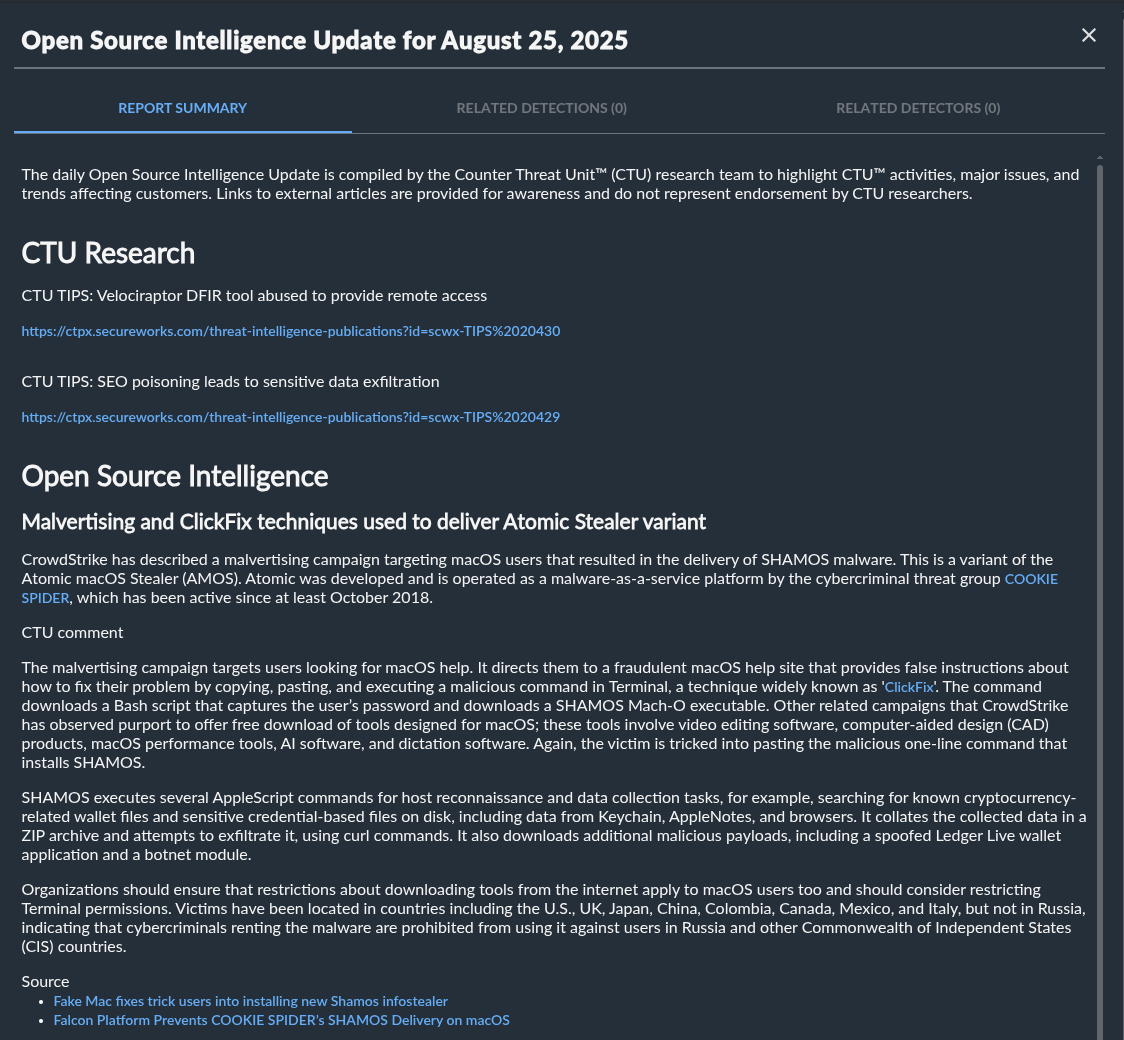
Select a threat report to open a panel that contains the following information. Click the New Tab icon in the panel to view the details in a new tab. From there, you can copy the URL to link directly to the threat report.
Report Content🔗
- Full Report Text: Complete CTU analysis
- Executive Summary: Key findings and recommendations
- Technical Details: In-depth technical analysis
- Indicators of Compromise: Associated IOCs and signatures
Related Intelligence🔗
- Related Detections: Detections generated in your environment
- Related Detectors: XDR detectors mentioned in the report
Threat Group Tab🔗
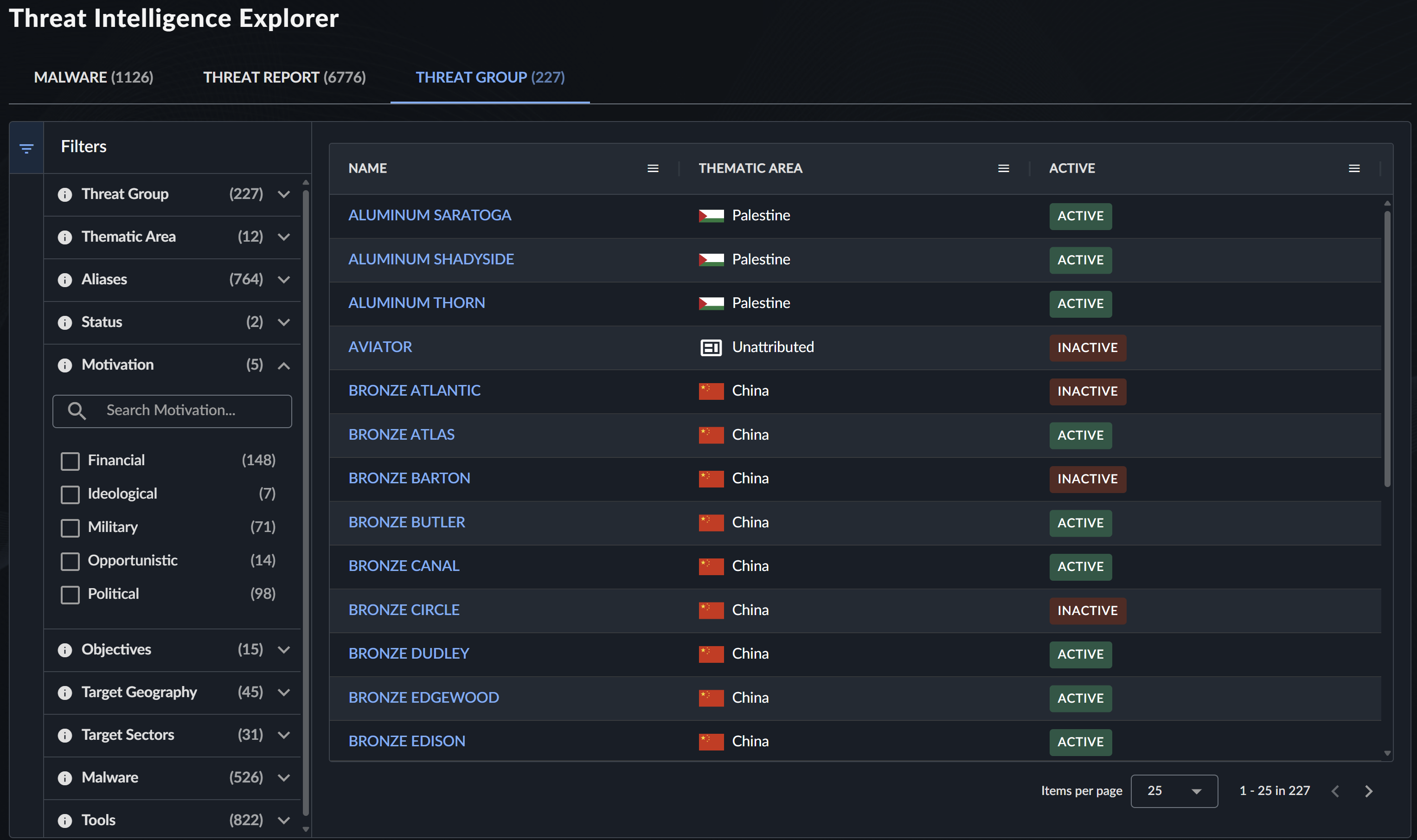
The Threat Group tab provides comprehensive information about known threat actor groups and their tactics, techniques, and procedures (TTPs).
Filter Threat Group Information🔗
Use the following filters to explore threat group data:
| Filter | Description | Examples |
|---|---|---|
| Threat Group | Threat group designation | GOLD MYSTIC, BRONZE ATLAS |
| Thematic Area | Focus area or regional association | Cybercrime, China, Russia |
| Aliases | Alternative threat group names | APT1, Lazarus Group, FIN7 |
| Status | Current activity status | Active, Inactive |
| Objectives | Primary goals and motivations | Financial Gain, Espionage, Disruption |
| Target Geography | Geographic targeting patterns | Asia-Pacific, Western Europe |
| Target Sectors | Industry sectors targeted | Technology, Defense, Energy |
| Malware | Associated malware families | Emotet, TrickBot, Cobalt Strike |
| Tools | Tools and techniques used | PowerShell, Mimikatz, PsExec |
Note
All regions and sectors may be at risk from opportunistic threat groups that do not have specific targeting preferences.
Threat Group Details View🔗
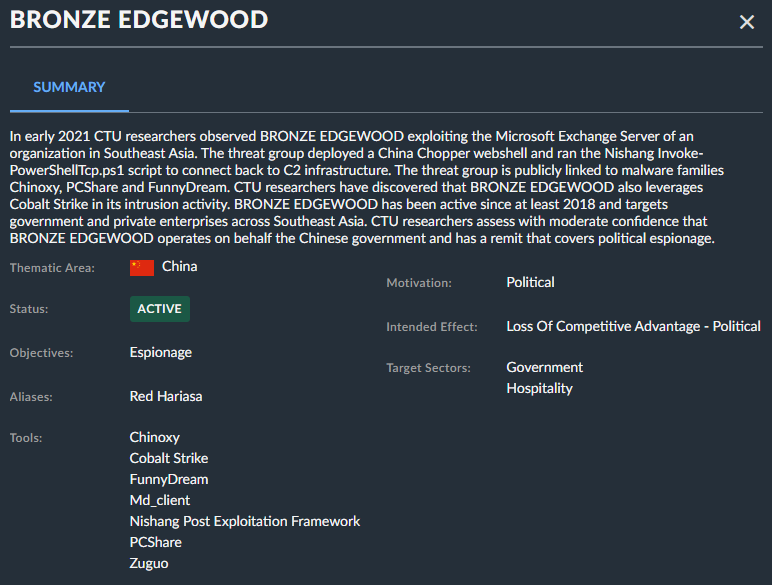
Select a threat group to open a panel that contains the following information about the group. Click the New Tab icon in the panel to view the details in a new tab. From there, you can copy the URL to link directly to the threat group details.
Group Profile🔗
- Group Description: Background and assessed capabilities
- Attribution Assessment: Geographic or organizational attribution
- Activity Timeline: Notable campaigns and operations
- Tactics, Techniques, and Procedures: Detailed TTP analysis
Integration with XDR🔗
Threat Intelligence Explorer seamlessly integrates with XDR capabilities in the following ways.
Detection Correlation🔗
Threat intelligence automatically enriches detections with relevant context. See Detection Enrichment for detailed information.
Detection Enhancement🔗
- Intelligence feeds directly into XDR detection capabilities.
- Multiple detectors leverage threat intelligence data.
Case Support🔗
- Use threat intelligence to enhance cases.
- Pivot from detections to related threat intelligence.
Best Practices🔗
Effective Use of Filters🔗
- Start Broad, Then Narrow: Begin with general searches and apply specific filters.
- Combine Multiple Filters: Use multiple criteria for precise results.
- Regular Updates: Check for new reports and intelligence regularly.
Staying Current🔗
- Subscribe to notification preferences for threat report updates.
- Regularly review new malware families and threat group activities.
- Monitor threat landscape changes relevant to your industry.
Integration with Workflows🔗
- Incorporate threat intelligence into incident response procedures.
- Use threat group information for threat modeling exercises.
- Leverage malware analysis for defensive strategy planning.
Related Resources🔗
- Threat Intelligence Overview
- Threat Intelligence Reports
- Threat Groups
- Detection Enrichment
- CTU Network Countermeasures
Support and Training🔗
For additional assistance with Threat Intelligence Explorer:
- Contact CTU through the Help Center.
- Attend threat intelligence training sessions offered through Professional Services.
- Review threat hunting guidance for advanced analysis techniques.