Authorize and Enable Proactive Response Actions🔗
A user with the Tenant Admin role must authorize Proactive Response Actions to enable this feature. Once you configure the desired Taegis Actions, each must also be enabled for Proactive Response.
Authorize Proactive Response Actions🔗
Tenent Admins can authorize Proactive Response Actions from two places, the Tenant Settings Subscriptions page, or the Automations Actions page:
- Select Tenant Settings > Subscriptions or Automations > Actions from the Taegis Menu.
-
Toggle the Proactive Response Actions button to indicate Authorized.

Authorize Proactive Response Actions -
Select Authorize to confirm your action.
Important
If you have not yet configured the required Taegis Actions but toggle the Proactive Response Actions button to Authorized, then our analysts will not be able to take actions on your behalf, as the Actions must be configured and enabled for Proactive Response.
Configure Taegis Actions and Enable Proactive Response🔗
If you haven't already, configure the desired Taegis Actions for available Proactive Response Actions, selecting integrations to the supported technologies in your environment you'd like the action to be used with. Ensure you enable the action as a Proactive Response Action, which sets the Action Name with the approved naming convention that cannot be edited.
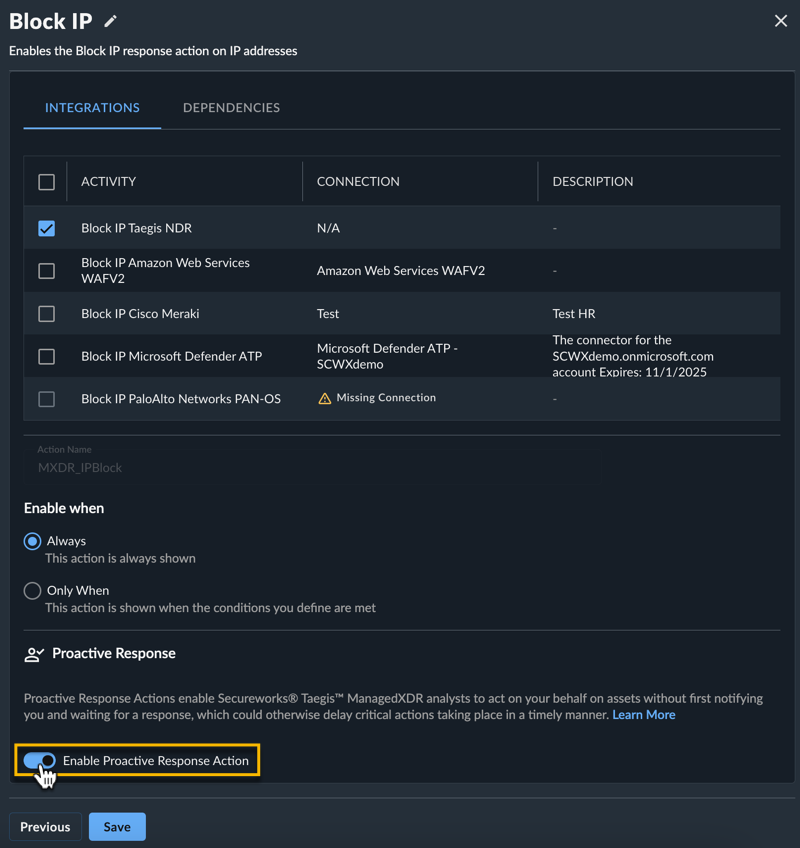
You can also enable Proactive Response for actions you previously configured by editing the action, or using the toggle from the table of the Configured Actions tab.
Verify Proactive Response🔗
If you have completed all the required steps, the following appears under Tenant Settings > Subscriptions:
- Proactive Response Actions set to Authorized
- A table of configured Proactive Response Actions
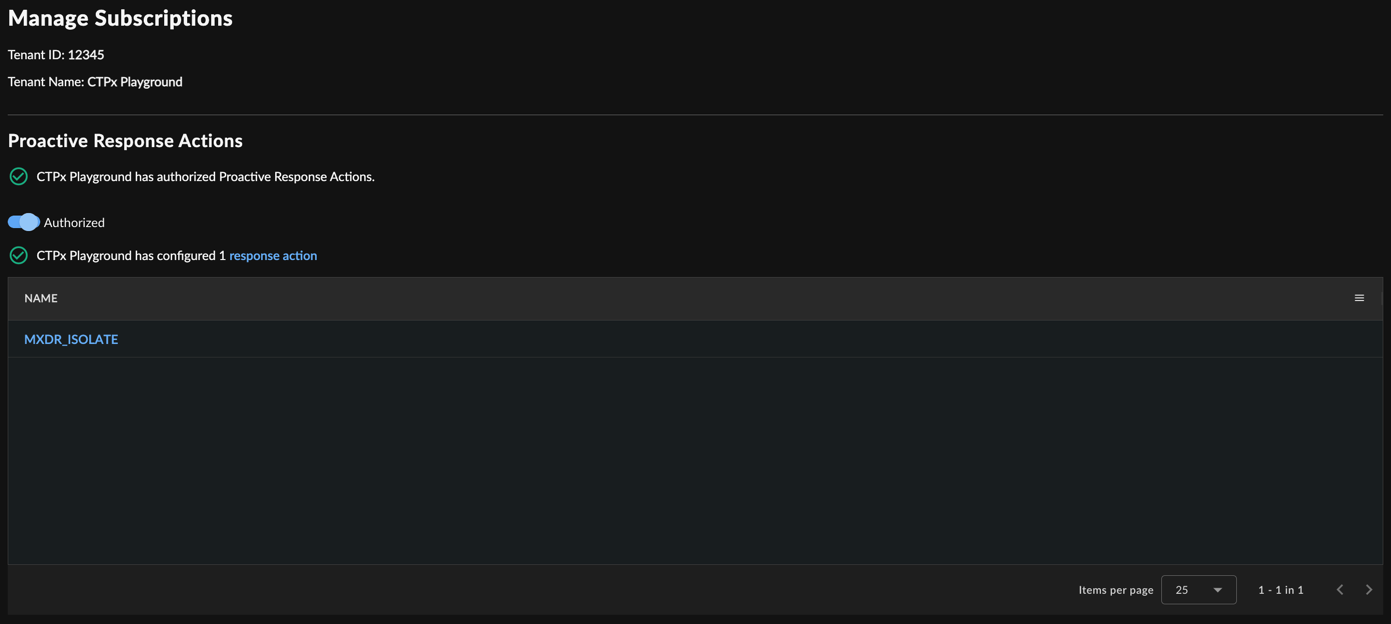
At this point, Taegis MDR analysts can take actions on your specified assets based on the Taegis Actions you created.