Sophos Endpoint Agent Downloads🔗
To download the Sophos Endpoint Agent software, follow these steps:
Note
All installations begin with the latest stable version, which is recommended for production environments and available from Agent Downloads.
- From the Taegis XDR menu, select Endpoint Agents → Downloads.
-
Click the Download button for the Sophos Endpoint Agent installation package that matches your operating system and required protection tier (Detection and Protection or Detection Only).
Note
Detection and Protection downloads replace your existing endpoint protection product. With Detection Only downloads, you continue to use your existing product.
Important
If pop-ups are blocked and you cannot download the agent, select Copy Download URL. Then, paste the copied URL into a new browser window to download the installation package.
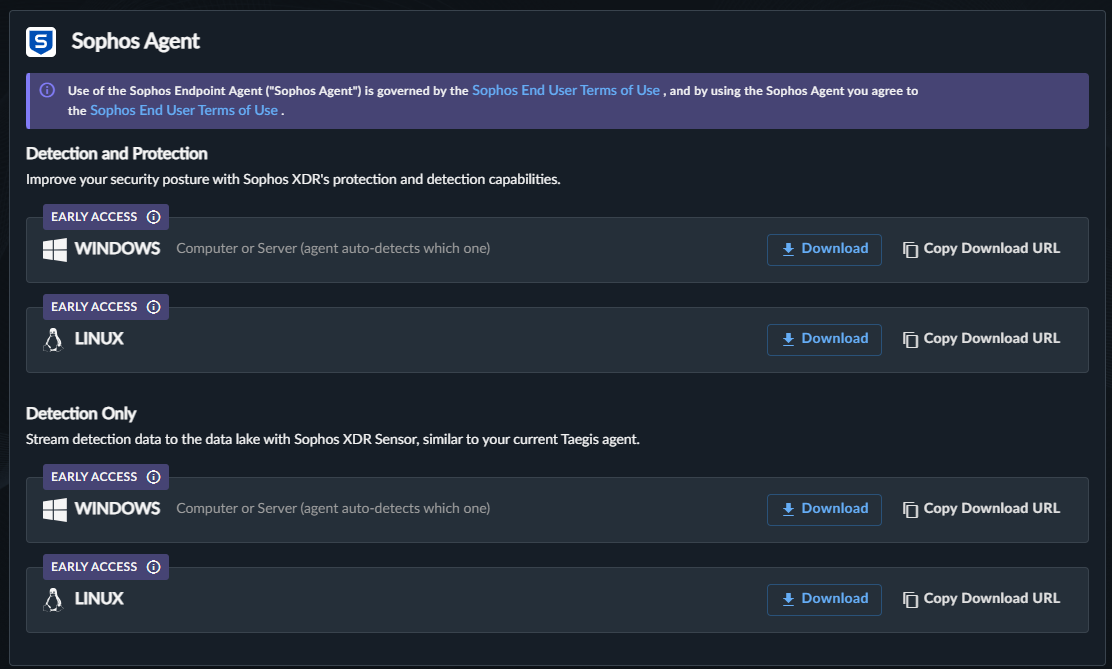
Download Package
Once downloaded, deploy with with your preferred host management tool, or manually install on an individual endpoint.