Entity Details🔗
Entity detail pages provide deeper context around an entity by displaying threat intelligence data, geolocation, prevalence information, and related detections, cases, and events. This comprehensive view helps you understand the significance of an entity and its involvement in security incidents.
Access entity details pages by selecting an entity from:
Entity Details Core Components🔗
All entity types have a details page that shows the following core components:
- Entity Properties
- Related Detections, Cases, and Events
- Associated Entities
- Enrichment Playbooks
- Pivot Search
- Actions Menu
Entity Properties🔗
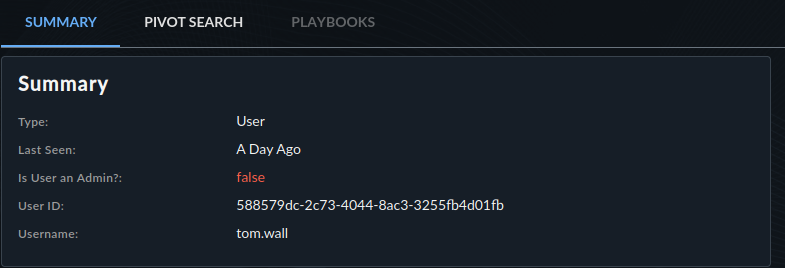
The Summary section of entity details shows data directly tied to the entity. This includes the following:
- The type of entity
- When it was last seen
- Entity-specific attributes, such as whether a user is an admin
- Other contextual information relevant to the entity type
Related Detections, Cases, and Events🔗
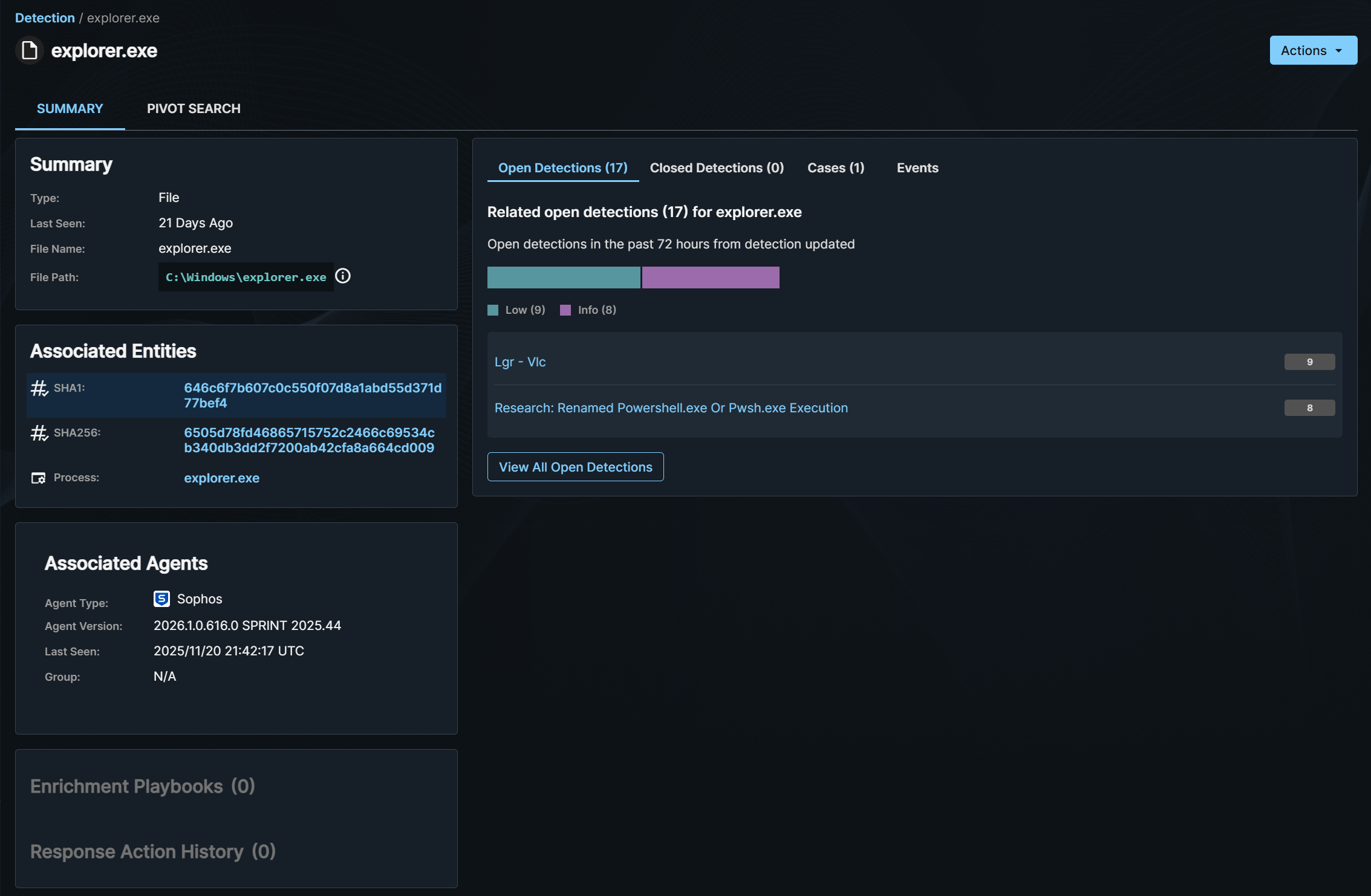
This section shows the number of open and closed detections, cases, and events related to the entity.
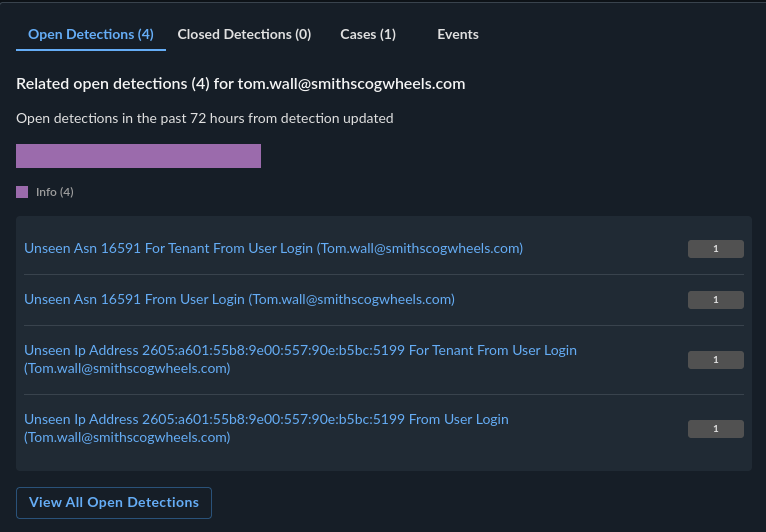
- Detections are aggregated by title.
- Events are aggregated by event type.
- Select View All at the bottom of this section to be redirected to an advanced search query with complete results.
Associated Entities🔗
The Associated Entities section shows other entities that this entity directly relates to in the context of a detection or case, depending on the origin of the navigation to the details page.
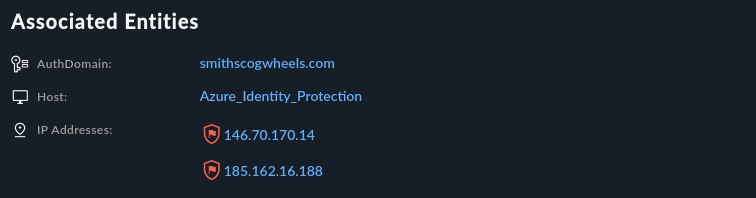
- If you access an entity details page for an IP address from a detection page, the Associated Entities shows all entities related to this IP address in the context of that detection.
- If accessed from a case, it shows all directly related entities to that IP address in the case context.
Enrichment Playbooks🔗
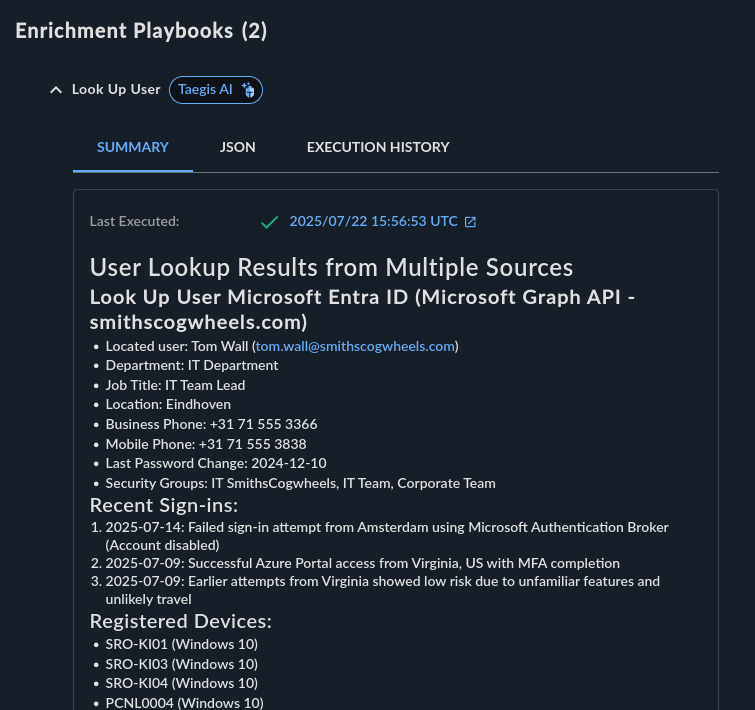
The Enrichment Playbooks section lets you trigger configured playbooks for an entity and view its results. For example, you can look up a user in an identity system or enrich an IP address with external threat intelligence.
Note
Enrichment playbooks must be configured in Automations before they appear in entity details pages.
Pivot Search🔗
The Pivot Search tab lets you search for related telemetry across detections, events, and cases from the entity with a configurable time window.
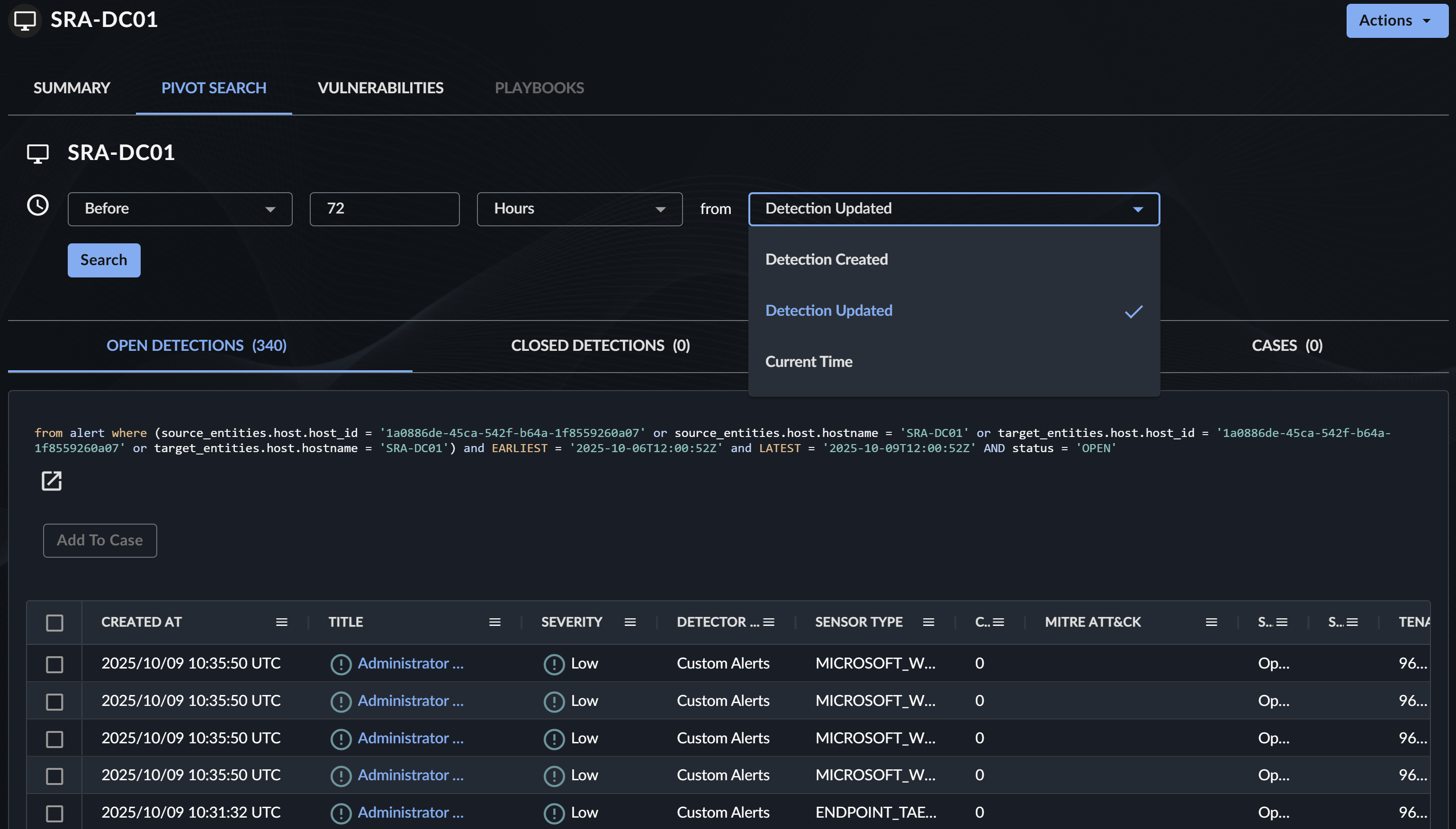
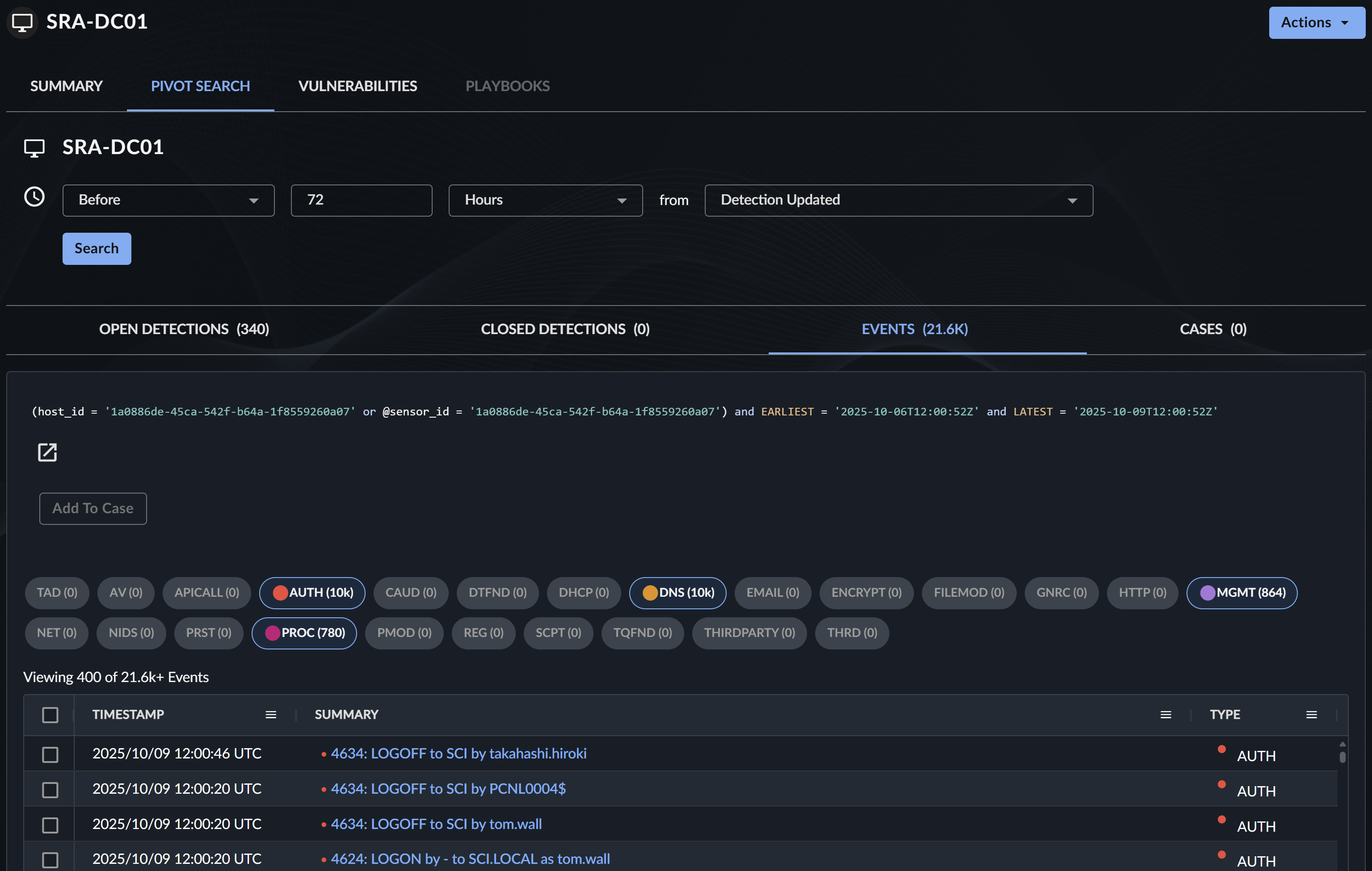
Use Pivot Search to do the following:
- Investigate entity activity across different data sources.
- Adjust the time window to expand or narrow your search scope.
- Quickly identify patterns and anomalies related to the entity.
Actions Menu🔗
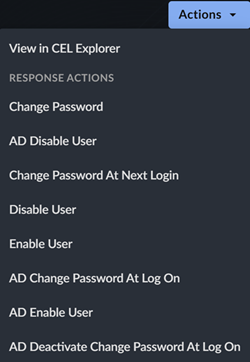
The Actions menu lets you trigger configured response actions on the entity.
Note
Available actions depend on your Automations configuration and user permissions.
Entity-Specific Sections🔗
Some entity types have customized sections that display additional information relevant to that type.
User Entity🔗
User entities provide comprehensive authentication and activity information to help identify anomalous behavior.
Latest Authentications from Private IP Addresses🔗
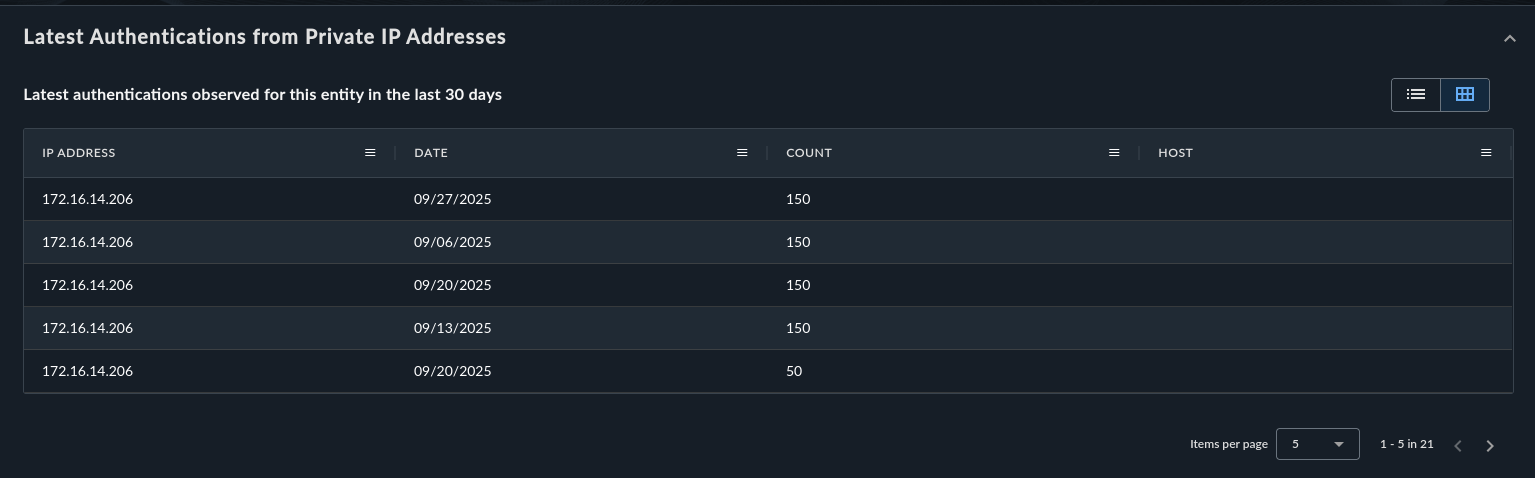
This section shows the latest IP addresses involved in a user's authentication coming from private IP ranges.

The section is available in both card layout and table layout. Select the button at the top right to switch between layouts.
Authentication from Public IP Addresses🔗
This section shows IP addresses involved in a user's authentication coming from public IP ranges. It contains the following four sub-tabs.
-
Common — Shows the most common IP addresses involved in a user's authentication over a 30-day period.
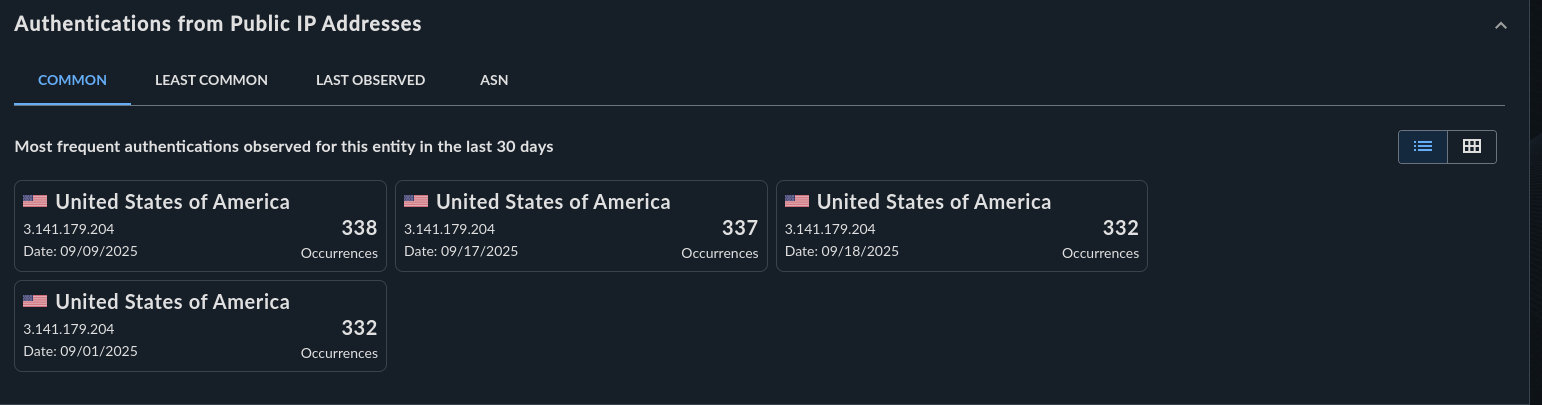
Common Public IPs - Card Layout -
Least Common — Shows the least common IP addresses involved in a user's authentication over a 30-day period.
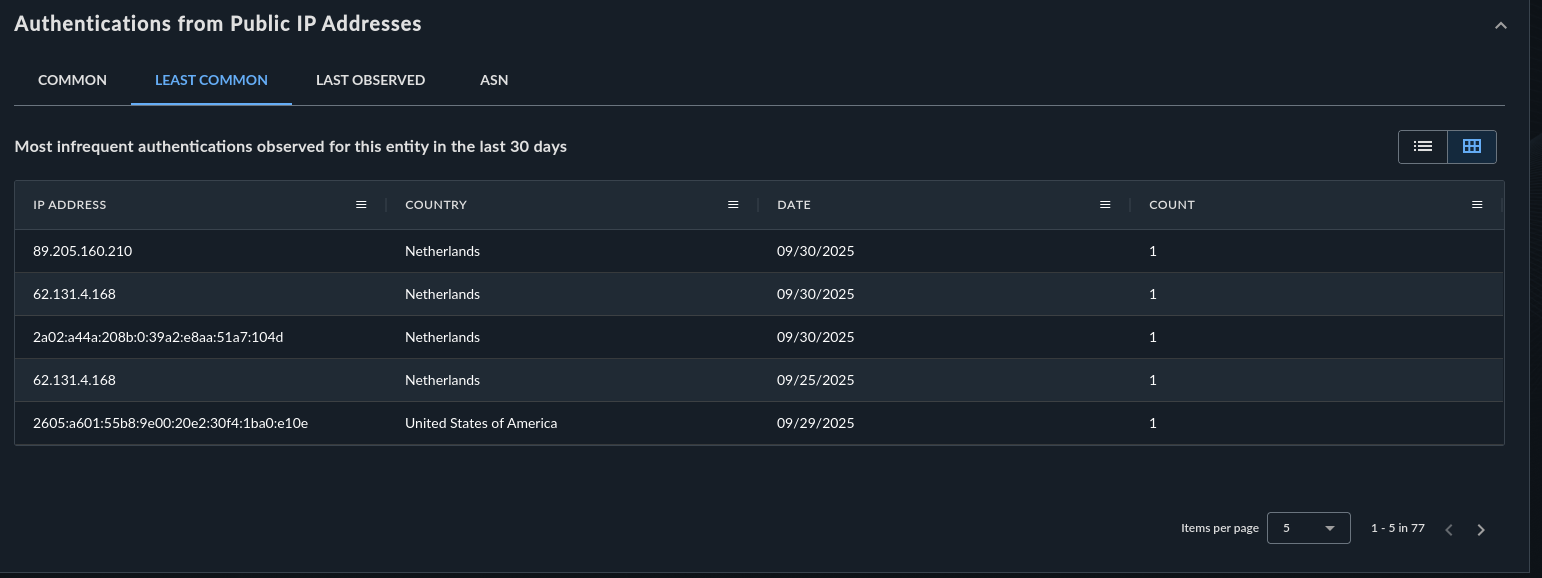
Least Common Public IPs - Table Layout -
Last Observed — Shows the latest IP addresses involved in a user's authentication over a 30-day period.
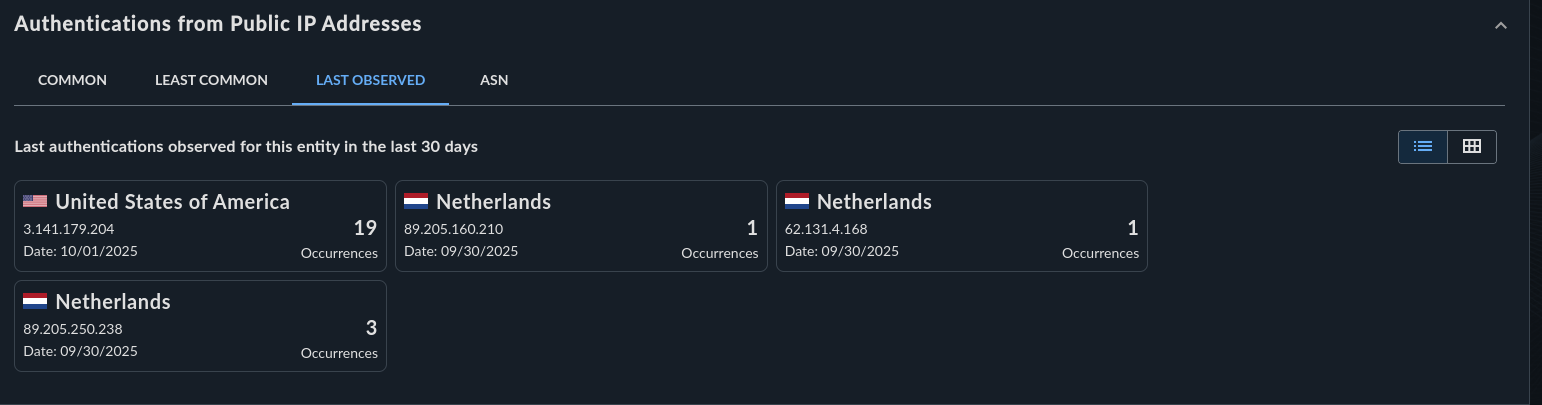
Last Observed Public IPs -
ASN — Shows the most common Autonomous System Numbers (ASNs) for IP addresses involved in a user's authentication over a 30-day period.
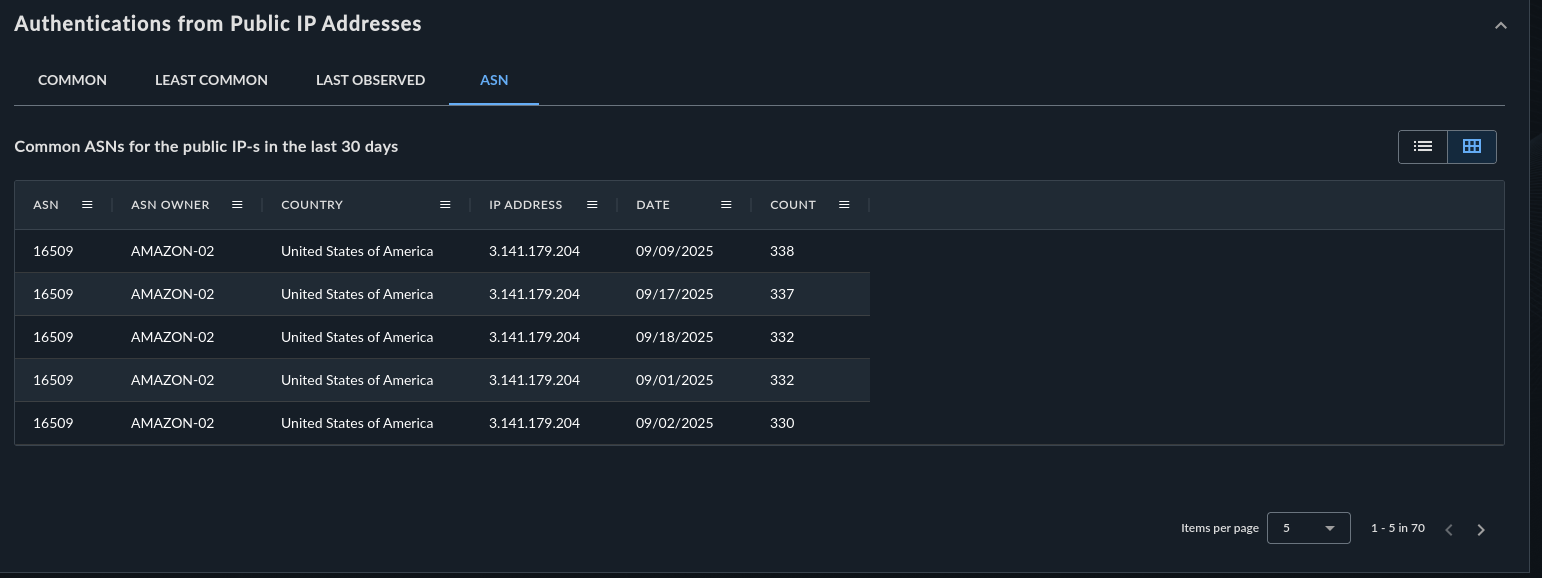
Common ASNs - Table Layout
Tip
All of these sub-tabs can be resorted in the table view. The table view also contains all IP addresses involved for a 30-day period.
Hosts🔗
This section shows the latest and most commonly used hosts a user authenticated to or from and is available in both card layout and table layout.

Logins🔗
This section shows a histogram of login attempts for the user over the last 30 days.
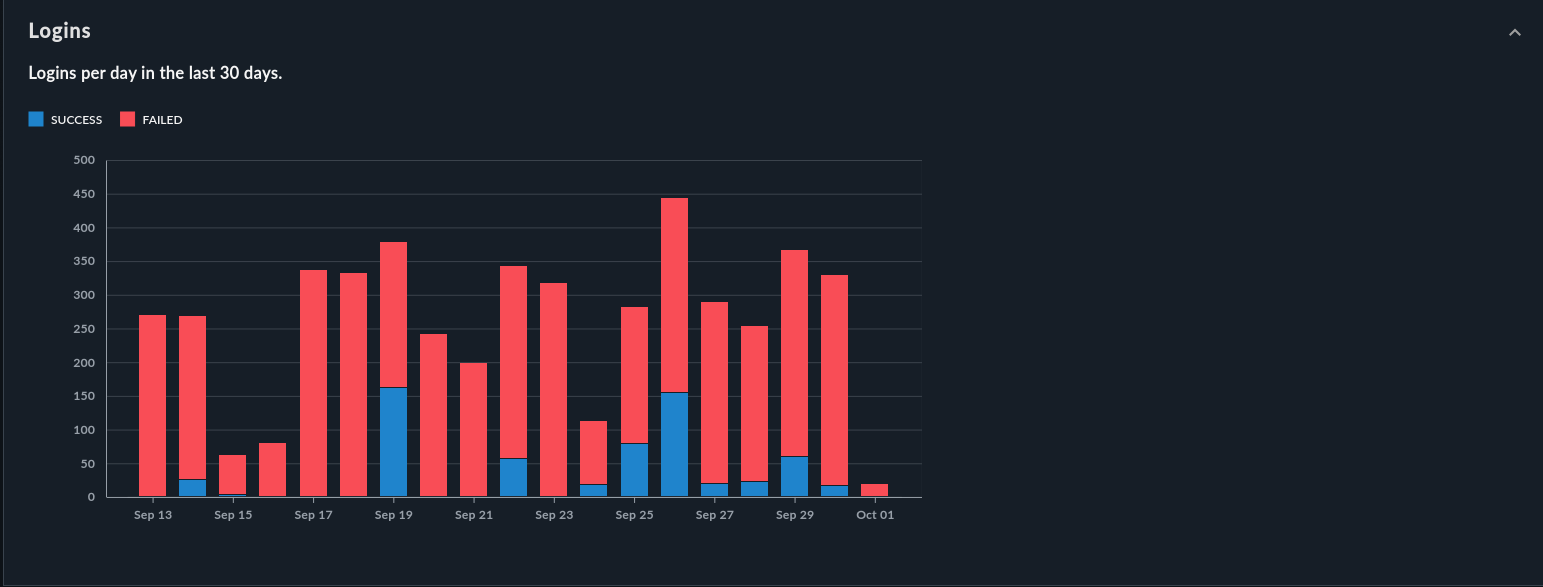
Use this histogram to identify the following:
- Unusual spikes in authentication activity
- Periods of inactivity
- Login patterns that deviate from normal behavior
Domain and Auth Domain Entity🔗
Domain and Auth Domain entities provide threat intelligence and communication telemetry.

Threat Intelligence🔗
This section shows available threat intelligence for the domain from the Secureworks Counter Threat Unit™ (CTU), VirusTotal, or APIVoid.
Tip
A Threat Intelligence Shield icon appears for entities that have threat intelligence available, indicating they are potentially malicious.
HTTP Communications to Domain🔗
This section shows if there is any HTTP telemetry involving this domain as a target.
Source IPs for DNS Lookups on Domain🔗
This section shows if there is any DNS telemetry involving this domain and where it originates from.
File Entity🔗
File entities provide prevalence information and related event data.
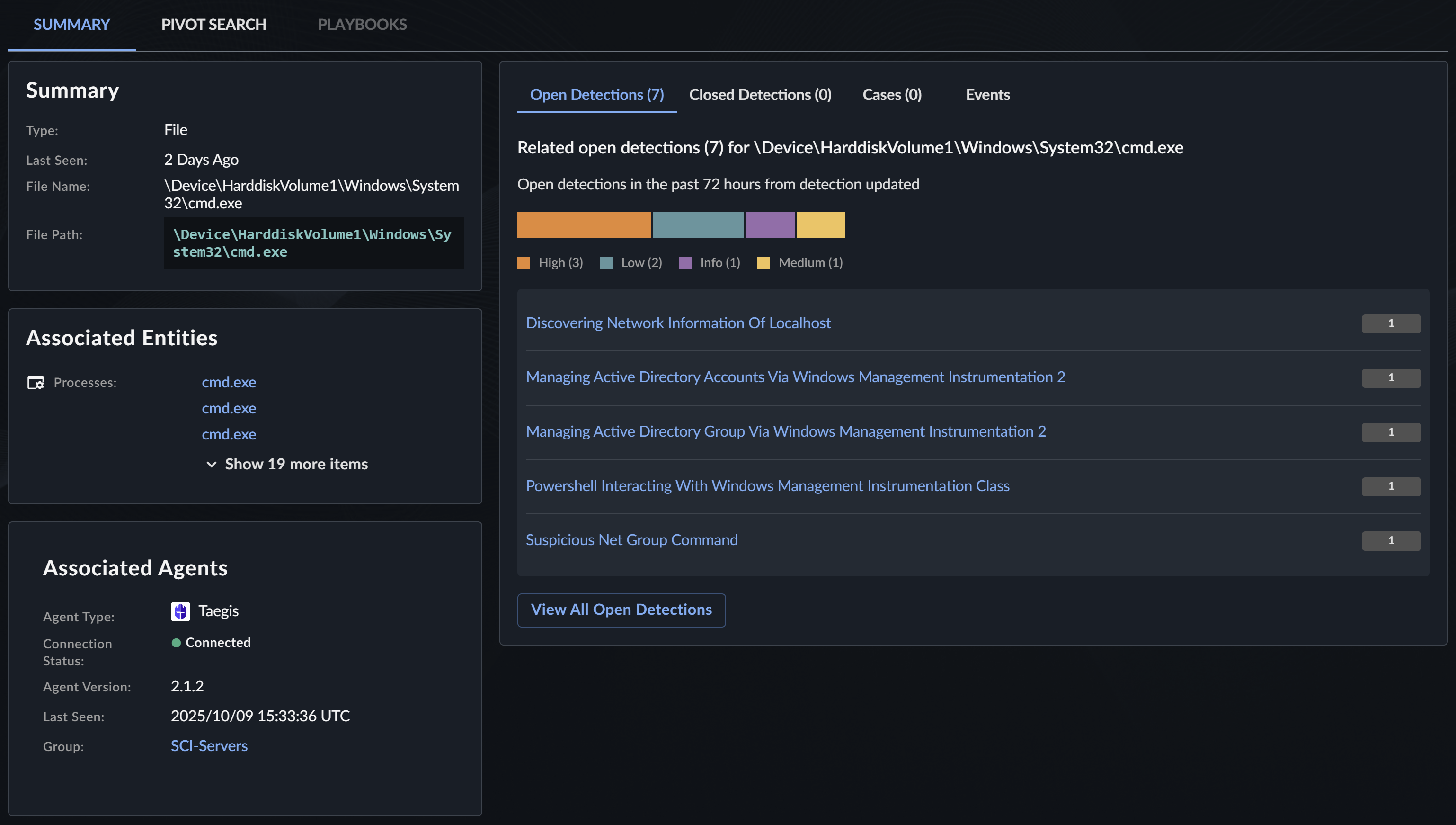
FileHash Prevalence in Hosts🔗
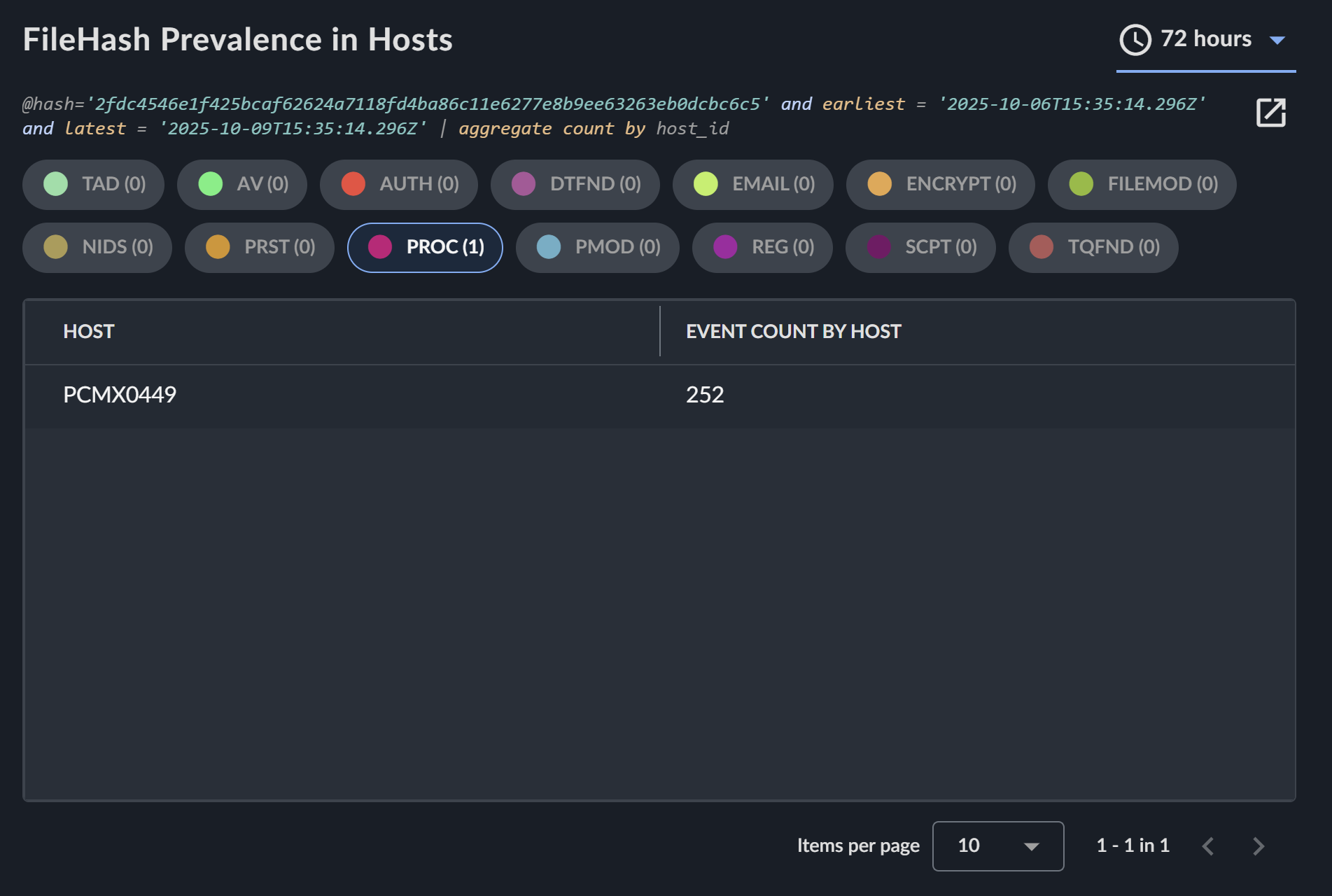
If a file has a file hash associated with it, this section shows which hosts reported telemetry for this hash. Use this to do the following:
- Determine how widespread a file is across your environment
- Identify potentially compromised hosts
- Assess the scope of an incident
Other Events🔗
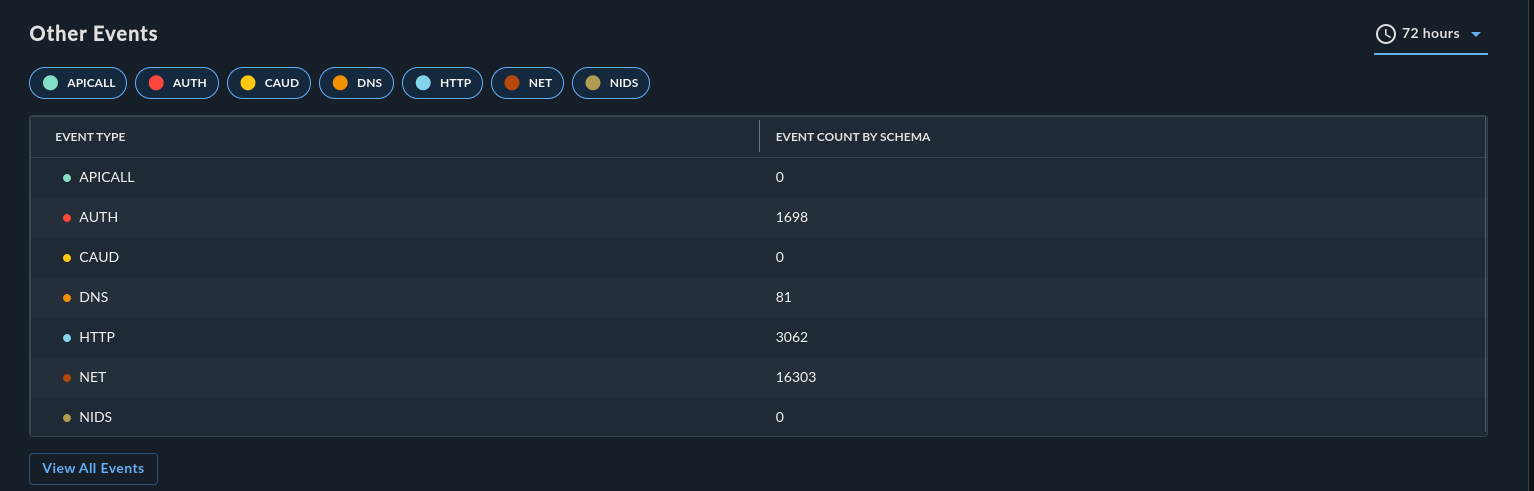
This section shows related event types that contain this file.
FileHash Entity🔗
FileHash entities provide similar information to File entities but focus on the hash value.
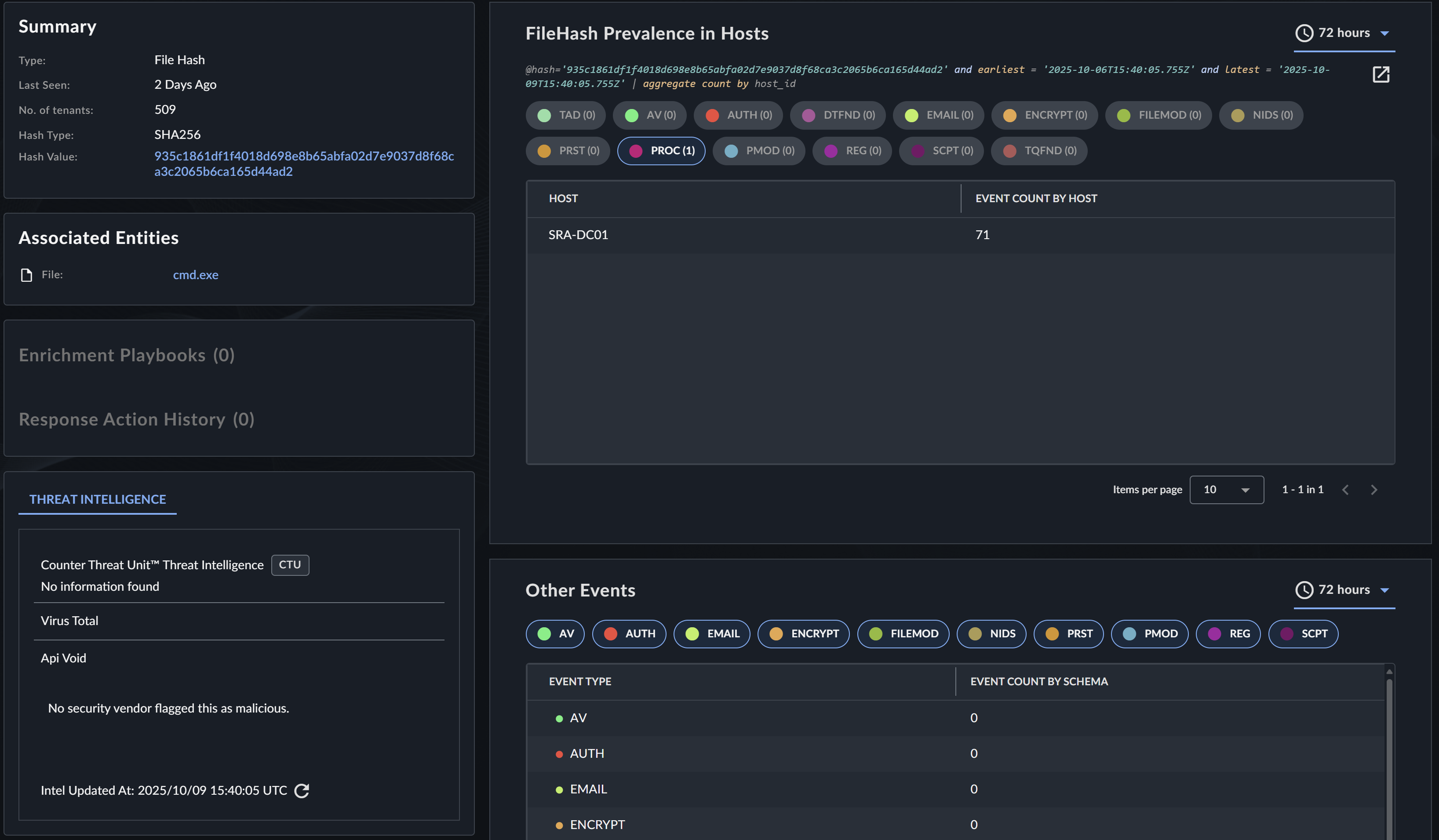
FileHash Prevalence in Hosts🔗
This section shows which hosts reported telemetry for this file hash.
Other Events🔗
This section shows related event types that contain this file hash.
Host Entity🔗
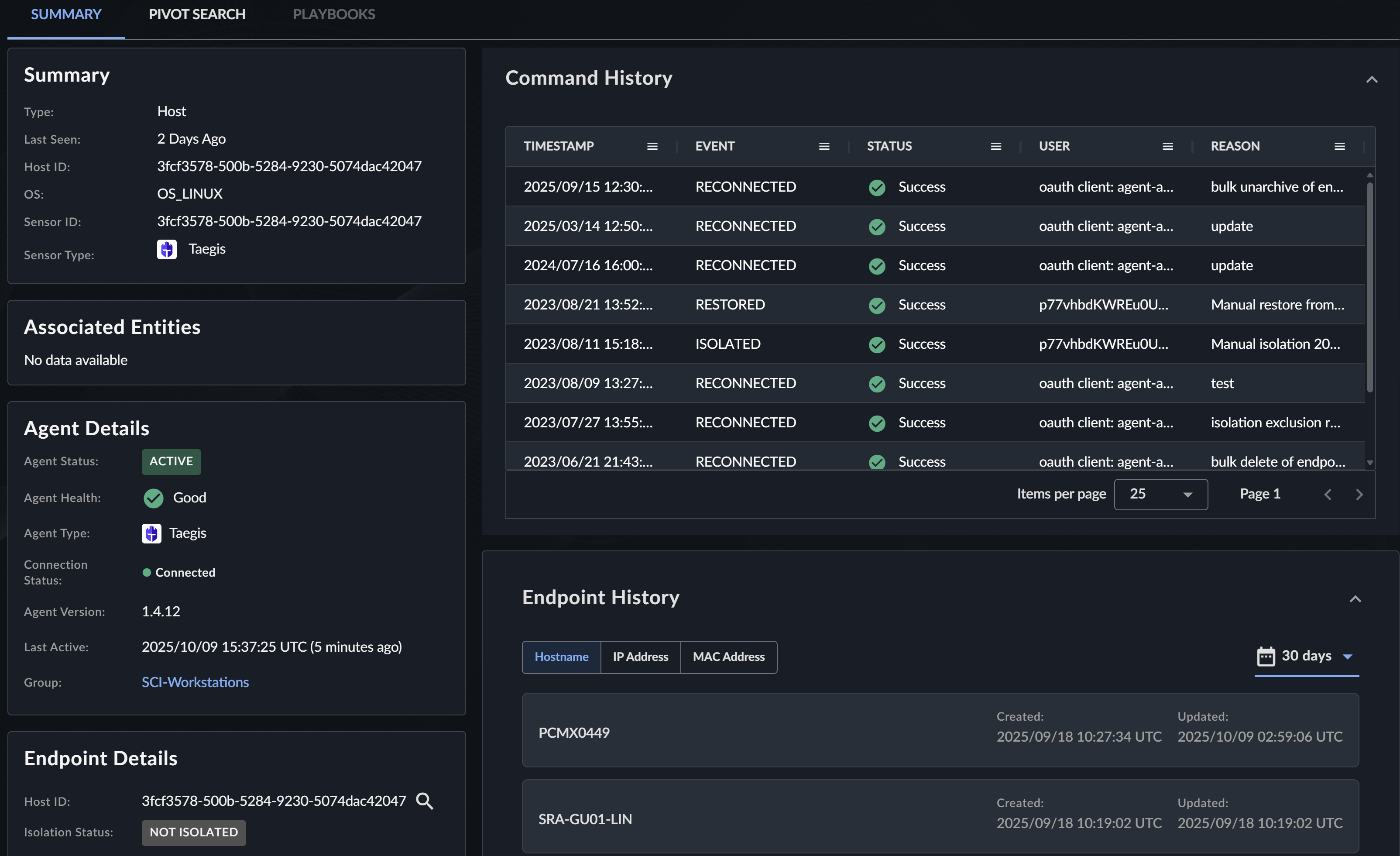
Host entities provide comprehensive endpoint information including security posture and agent details.
Vulnerabilities Tab🔗
The Vulnerabilities tab shows the scanned vulnerabilities for the host if it has been mapped to an asset in VDR. For more information on the mapping process, see Asset Mapping Logic.
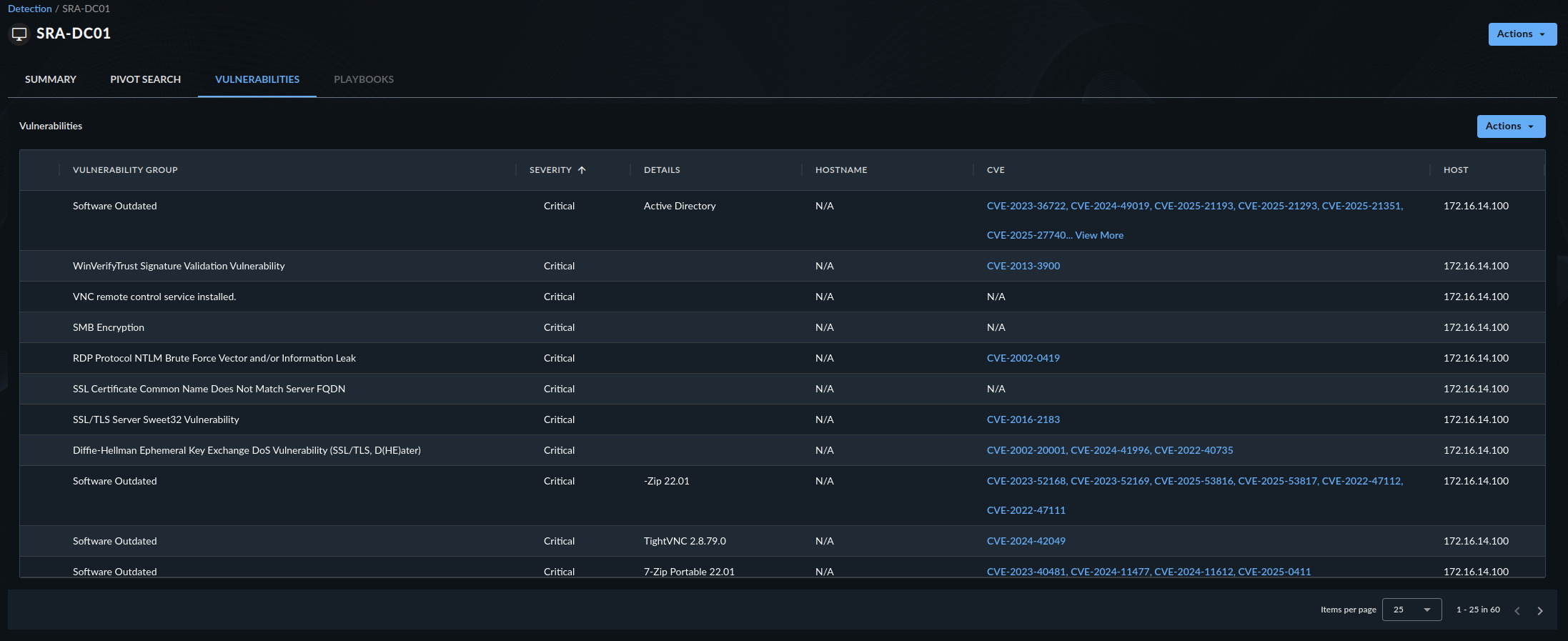
Use the Vulnerabilities tab to do the following:
- Identify security weaknesses on the host.
- Prioritize patching efforts.
- Understand potential attack vectors.
Agent Details🔗
This section shows the same agent information as in the endpoint details page, including:
- Agent version
- Agent status
- Last seen timestamp
- Configuration details
Endpoint Details🔗
This section shows the same endpoint information as in the endpoint details page, including:
- Operating system
- Hardware specifications
- Network configuration
Command History🔗
This section shows the same command history as in the endpoint details page, including:
- Commands executed on the endpoint
- Execution timestamps
- User context for commands
Endpoint History🔗
This section shows the same endpoint history as in the endpoint details page, showing:
- Agent installation and updates
- Configuration changes
- Connectivity events
IP Address Entity🔗
IP Address entities provide geolocation, threat intelligence, and network communication data.

Threat Intelligence🔗
This section shows available threat intelligence for the IP address from the Secureworks Counter Threat Unit™ (CTU), VirusTotal, or APIVoid.
Geolocation🔗
This section shows geolocation information for the IP address, including:
- Country
- Region/State
- City
- Coordinates
- Organization/ISP
Outgoing Communications by Destination Port🔗
This section shows netflow telemetry for this IP address and aggregates the destination IP addresses and ports. Use this to do the following:
- Identify unusual outbound connections
- Detect potential data exfiltration
- Understand normal communication patterns
Incoming Communications by Destination Port🔗
This section shows netflow telemetry for this IP address and aggregates the source IP addresses and ports. Use this to do the following:
- Identify connection attempts from external sources
- Detect potential scanning or attack activity
- Monitor inbound traffic patterns
Users Associated with IP Address🔗
This section shows any users related to this IP address through authentication or HTTP events.

Other Events🔗
This section shows related event types that contain this IP address.
Process Entity🔗
Process entities provide process execution details and lineage information.
Process Tree🔗
The Process Tree shows the ancestry and child processes of a process, allowing you to explore the full execution chain.
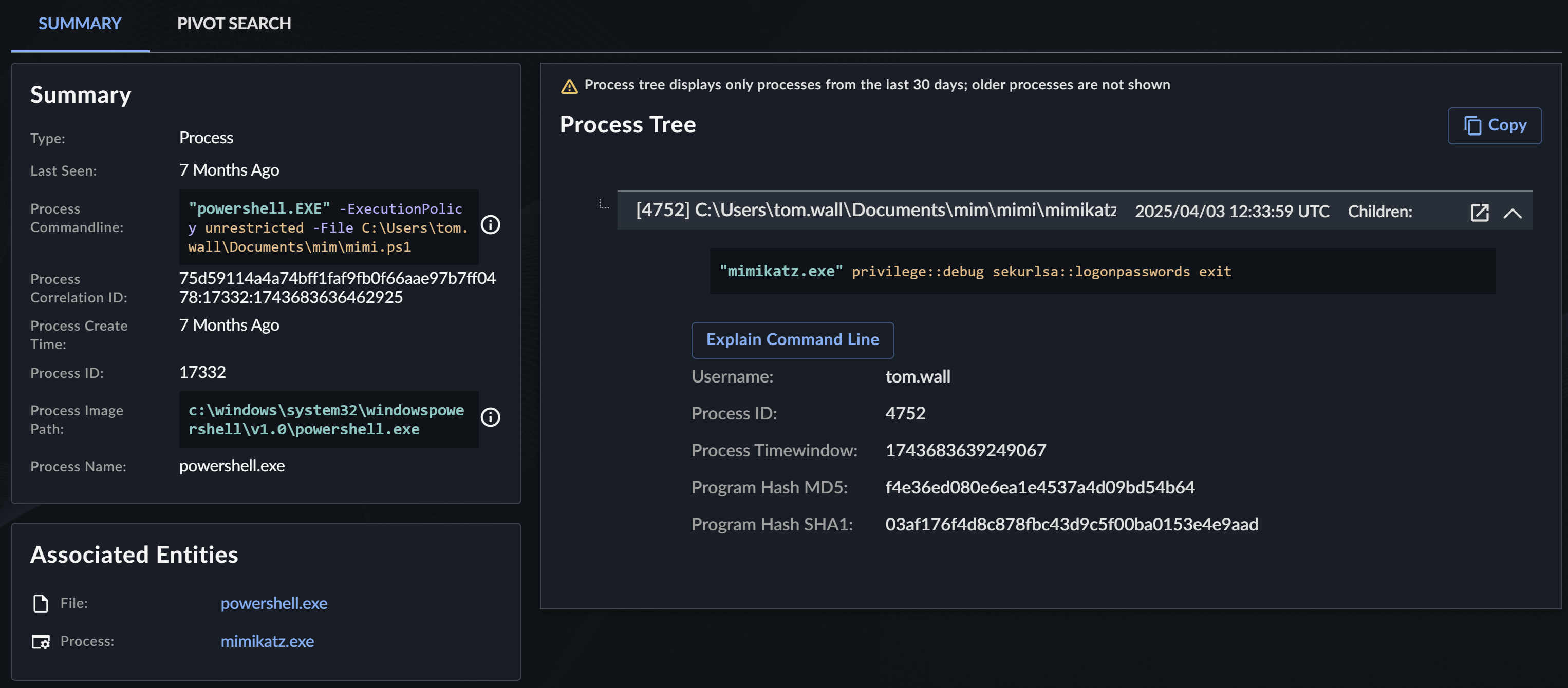
Process Event Trees in Secureworks® Taegis™ XDR allow you to do the following:
- Explore the ancestry and child processes of a process event.
- Pivot search off of the host ID.
- View if the process and user have elevated privileges.
- Understand process relationships and execution flow.
Note
Process trees display only processes from the last 30 days; older processes are not shown.
Tip
For a visual, interactive view of the process tree, see Event Lineage and Process Tree.
Best Practices🔗
When using entity details pages, consider the following best practices:
- Review Multiple Sections: Don't rely on a single data point. Review all available sections within the details to get a comprehensive understanding of the entity.
- Use Time Windows Effectively: Adjust time windows in Pivot Search to balance between finding relevant data and avoiding information overload.
- Leverage Enrichment Playbooks: Configure and use enrichment playbooks to automatically gather additional context from external sources.
- Switch Between Layouts: For sections that support it, switch between card and table layouts depending on your analysis needs.
- Follow the Investigation Trail: Use Associated Entities and Related Detections to expand your investigation scope.
- Monitor for Anomalies: Pay special attention to entities with threat intelligence indicators or unusual patterns in authentication and communication data.