Detection Enrichment🔗
Entities are data items that Secureworks® Taegis™ can recognize and categorize, including but not limited to IP addresses, file hashes, program hashes, or domains. Analysts triaging detections analyze these entities observed within network, cloud, and endpoint data to identify potential indicators of compromise used by threat actors.
View Threat Intelligence Enrichment Data🔗
There are two ways to view Threat Intelligence enrichment data for detections. Both methods gather all of the known entities from a detection and provide additional Threat Intelligence enrichment data from the Secureworks Counter Threat Unit™ (CTU), VirusTotal, and APIVoid.
Threat Intelligence Enrichment in Detection Details🔗
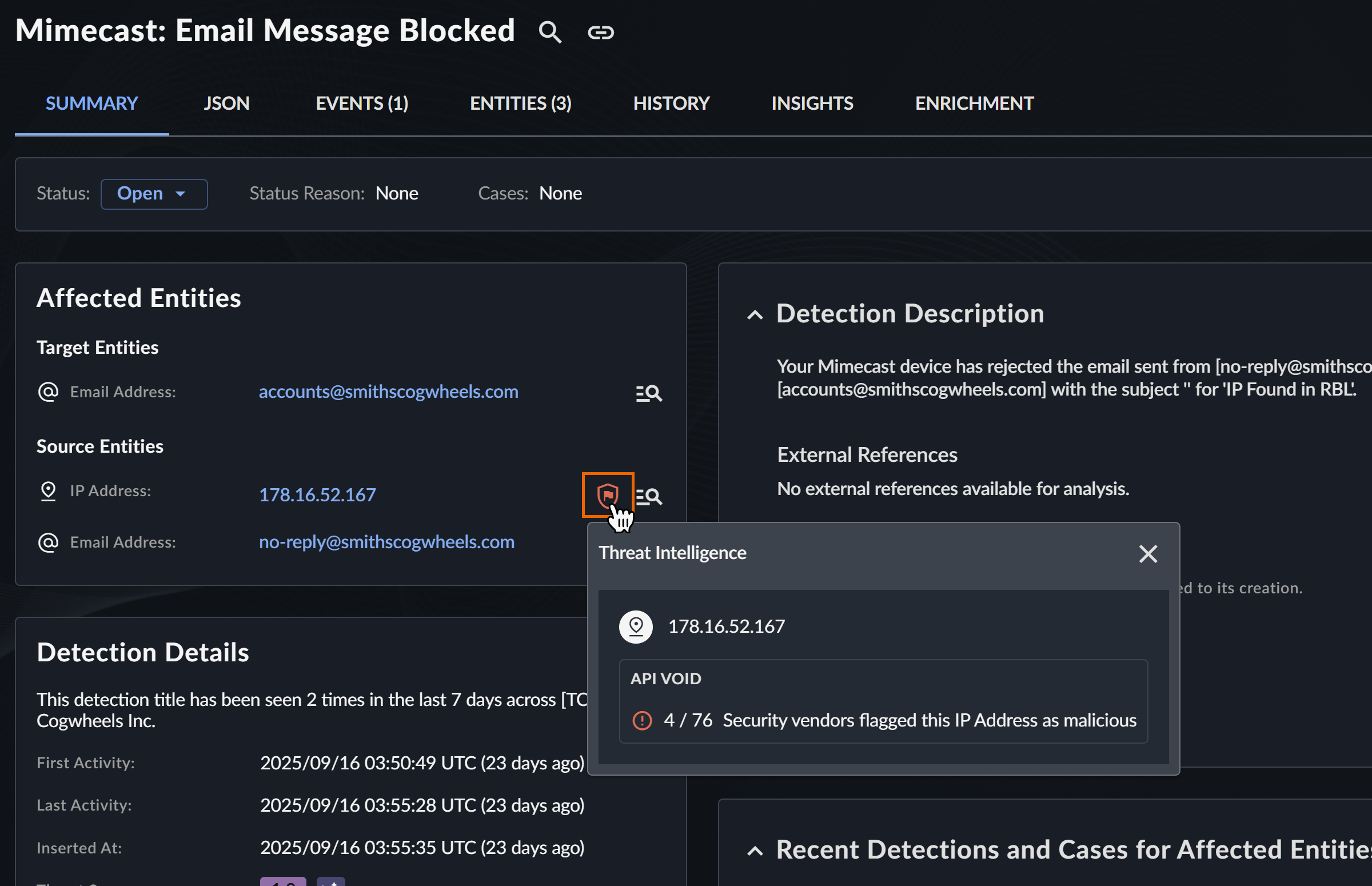
Click a Shield icon in detection details to open a modal with Threat Intelligence context for entities within the detection. From the modal, you can go to the Sophos Intelix static and dynamic reports when available for SHA256 hashes, or go to Virus Total and API Void detail pages.
Threat Intelligence Enrichment on Entities Tab🔗
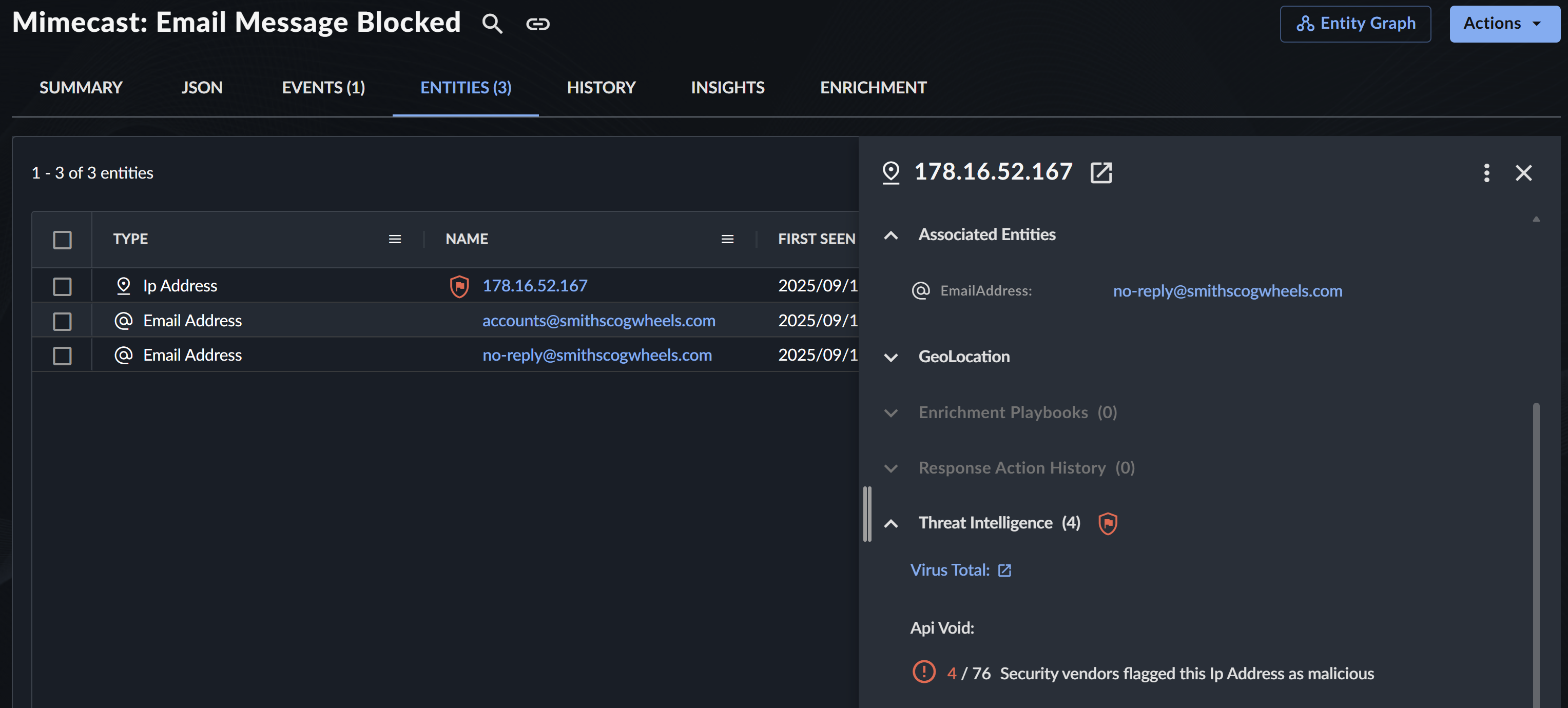
Go to the Entities tab of detection details and select an entity to view enrichment data in a side panel.
Hash Enrichment Process🔗
When a detection contains file hashes within the affected entities, the system automatically queries the following TI sources:
- Sophos Intelix for SHA256 hashes only
- Virus Total for MD5 and SHA hashes
- API Void for MD5 and SHA hashes
Hash Enrichment Visual Indicator🔗
When the TI sources provide a verdict on the file hash, a Shield icon displays in one of the following colors:
-
Green: File hash is clean

Green Shield -
Yellow: File hash is suspicious

Yellow Shield -
Red: File is a PUA (potentially unwanted application) or is malicious

Red Shield -
No badge shown: No TI information available for the hash
Available Enrichment Data🔗
The following Threat Intelligence enrichment displays for entities when available.
VirusTotal and APIVoid Enrichment Data🔗
View full enrichment data from VirusTotal and APIVoid in the Threat Intelligence section of entity details.

Secureworks leverages enrichment data from VirusTotal and APIVoid. The metrics indicate how many security vendors flagged the selected threat indicator as malicious. Vendors that have flagged the entity as malicious are marked with a red warning icon and are listed first in the list. Vendors that have not yet flagged the entity are marked with a green check mark.
Note
At this time, APIVoid enrichment data is only available for IP addresses. More threat indicators will be enriched in the near future.
VirusTotal enrichment data is available for IP addresses, domains, URLs, or file hashes. If available, a link to the VirusTotal URL search is provided. Select this link to open the search in a new tab and automatically copy the entity to your clipboard.
- The latest update time is displayed at the bottom. To refresh the results, select the Refresh icon.
- Collapse or expand the list of vendors by selecting the arrow.
Intelix🔗
A Sophos Intelix verdict for file SHA256 hashes displays in detection details as a Shield icon.

Intelix tries to determine the origin, workings, and possible impact of suspect or malicious files.
Intelix applies two different methods of analysis:
- Static analysis uses machine learning, file scanning, and reputation to assess suspicious files.
- Dynamic analysis runs suspicious files in a sandboxed environment to observe their behavior.
Each analysis gives a verdict on the risk level of the file. Intelix combines them to give an overall verdict. Click the Shield icon in detection details to view all available verdicts. Select View Report from the modal to go to the full report.