Query Builder🔗
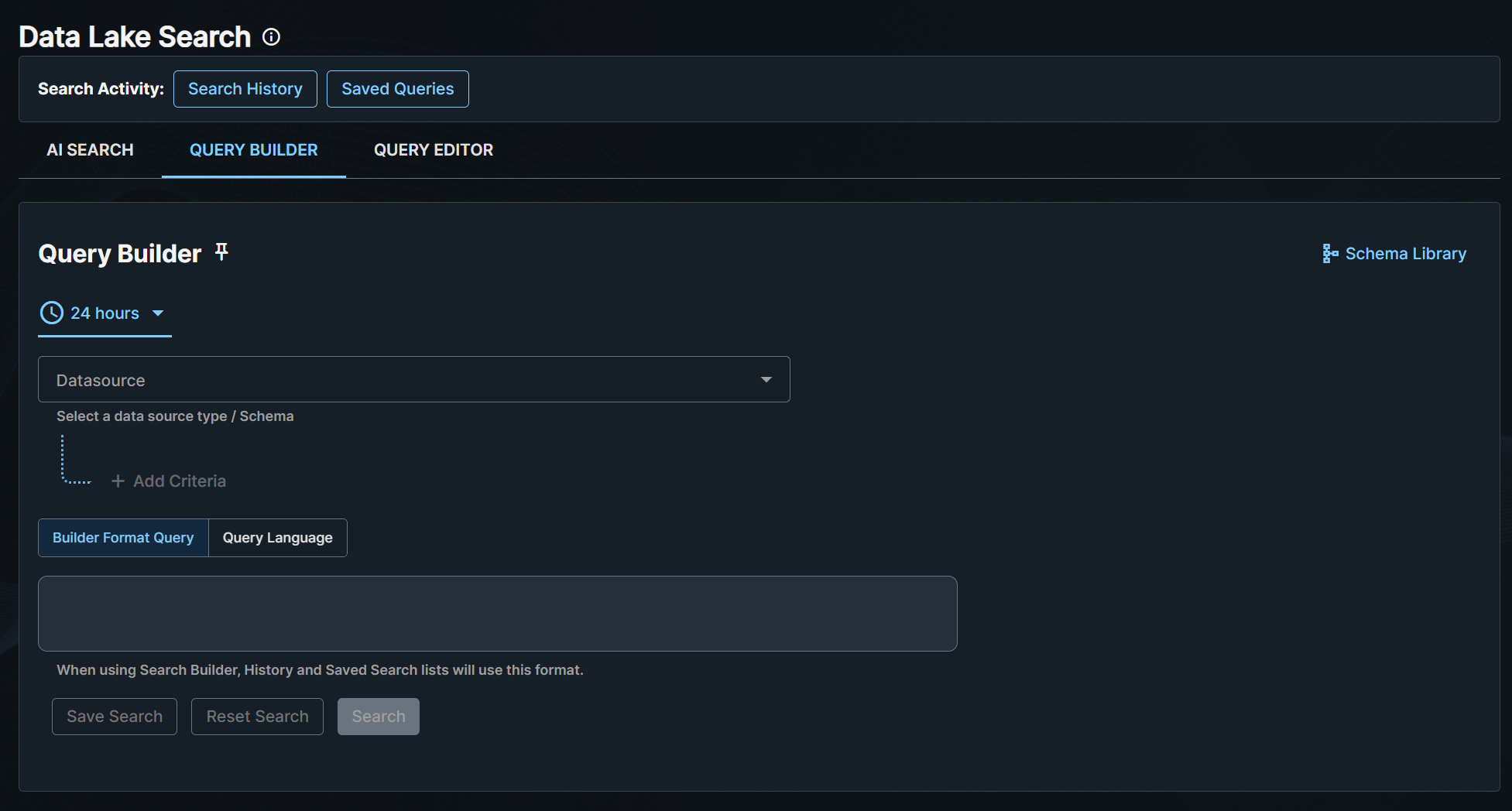
Secureworks® Taegis™ XDR's Data Lake Search Query Builder enables you to search for detections and events according to queries that you define by choosing operators and defining fields to refine your search.
To access Query Builder, do as follows:
- From the Taegis Menu, go to Advanced Search > Data Lake Search.
- Click the Query Builder tab.
Build Search Queries🔗
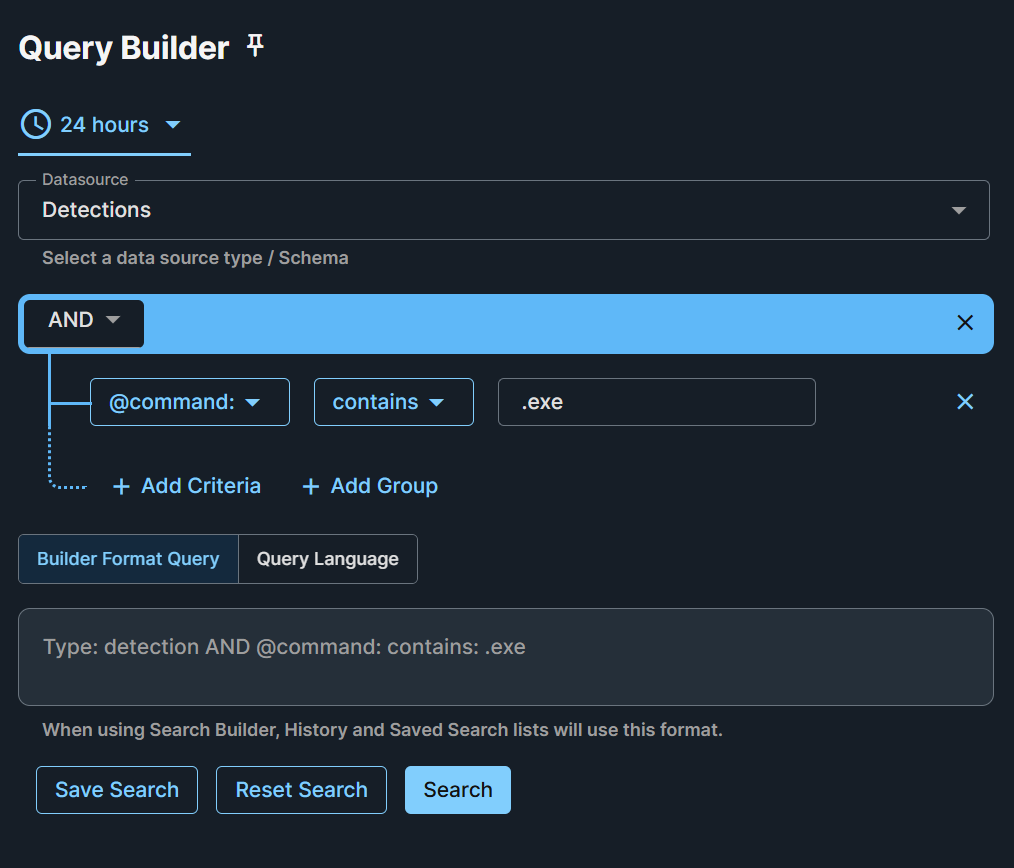
XDR's search grammar allows you to add criteria to filter your search query. For event queries, Query Builder allows you to select multiple event types. You can then add definitions to that criteria as needed, to further refine and limit the scope of your search. You can add as many terms as you need.
When you add new criteria and operators, a visual representation of the query is updated in the gray text below the query builder. Switch the representation to view it in Builder or Advanced Search query language format. For more information, see Query Editor.
Note
Text entered in search queries is case insensitive.
Construct your Search🔗
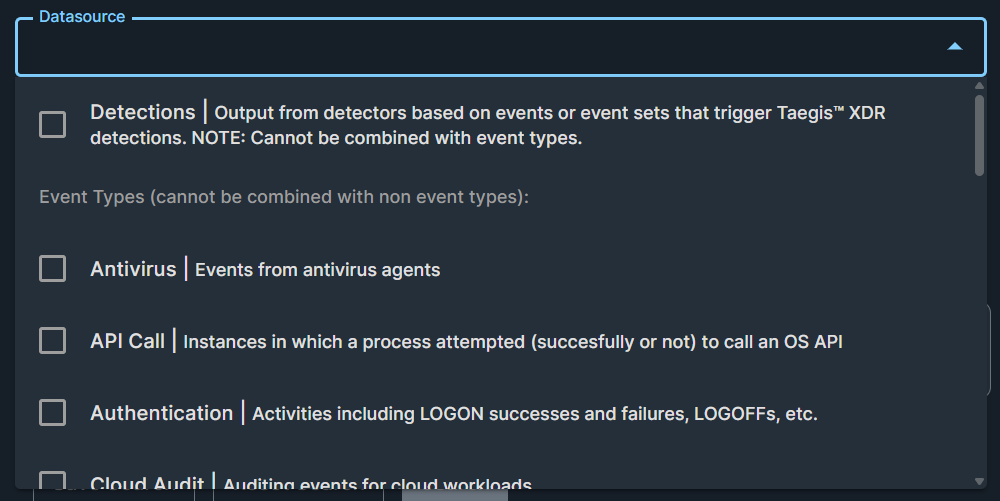
Data Lake Search currently allows you to search for one datatype at a time—either detections or events. When you create a search in Builder, you must select either Detections or one or more Event Schemas using the checkboxes in the Datasource drop-down menu. For a reference of schemas, see Schemas.
Search Rules🔗
Each search rule is a query composed of one or more terms. If a search rule is composed of multiple terms, then AND logic is applied to them, meaning all of the specified term matches must occur to return results.
Logical Types🔗
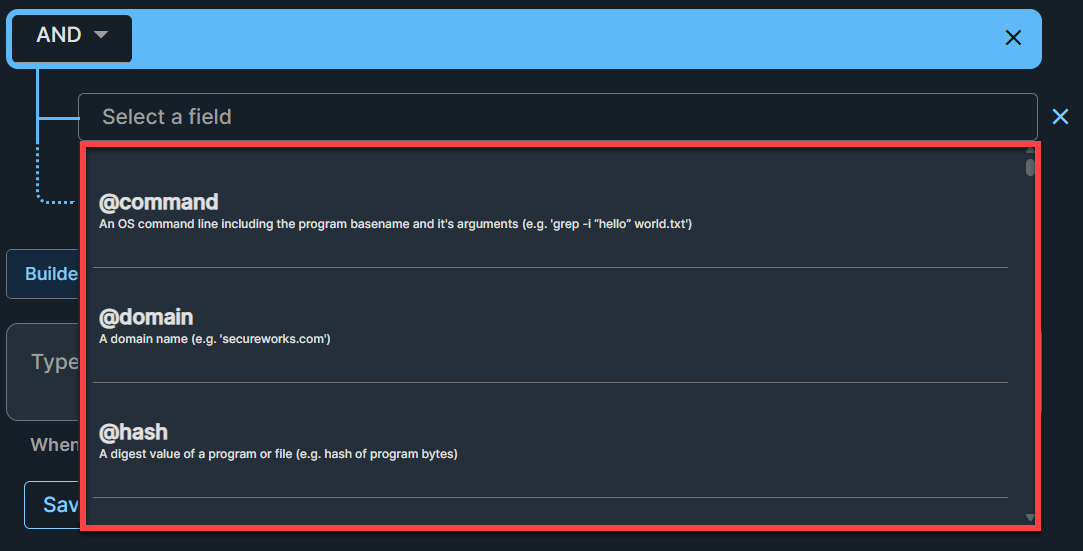
Logical types are special fields that map to field names under the appropriate data schemas for that particular field category. The logical types are designed to alleviate the need to remember and specify each individual field name for each pertinent schema. Logical types are denoted with the @ prefix. A logical type, specified with @<logical type name>, automatically queries all relevant event fields. For a reference of the available logical types, see Logical Types.
Nested Queries🔗
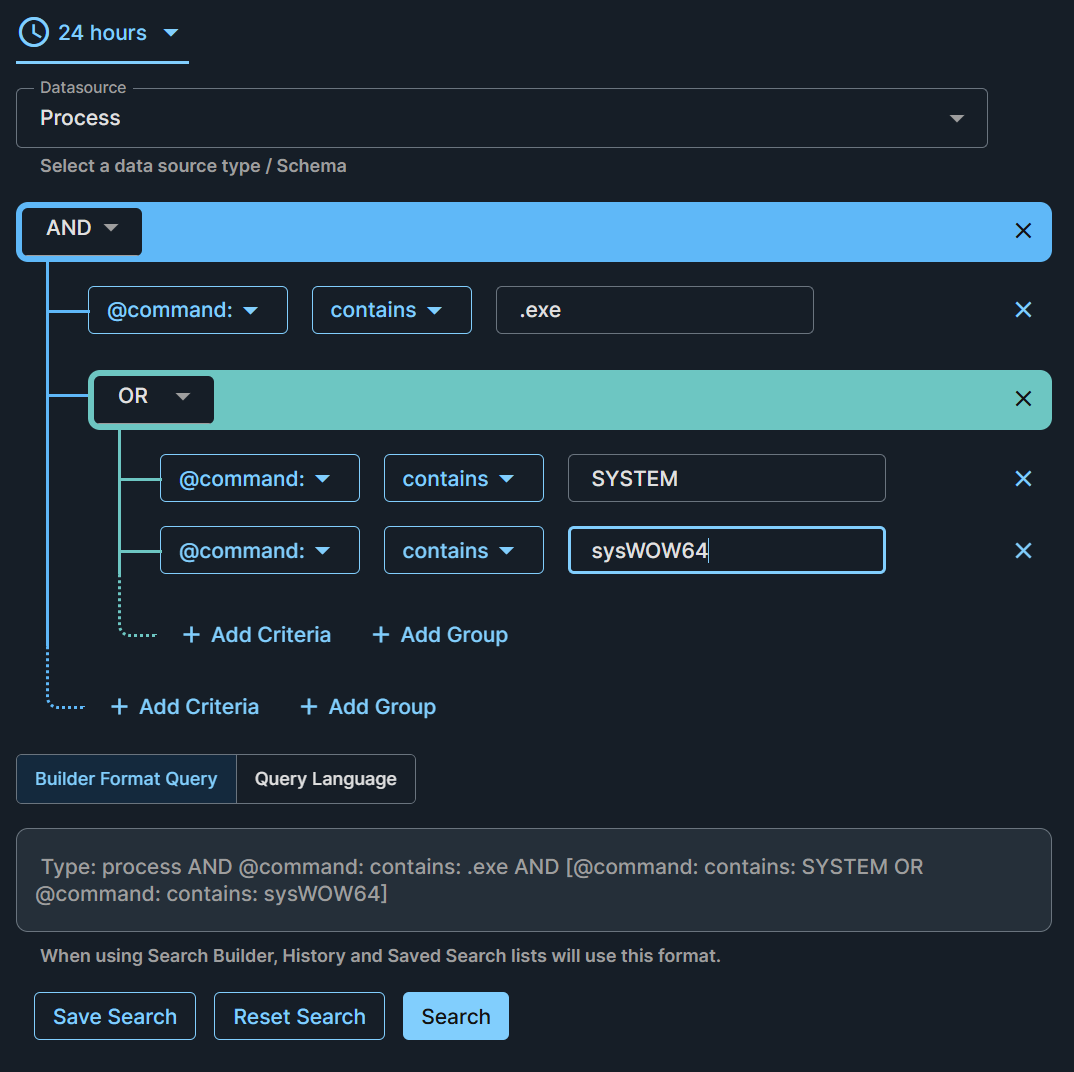
Nested queries allow you to create more complex searches by grouping together multiple search rules. To construct one, click + Add Group and build your group of rules.
Nested Queries and Match (AND/OR)🔗
Select OR if you want the search to match any of your nested queries, or AND to match all of them.
Note
Be sure to apply the AND/OR selection to the intended nesting level of the query, as indicated by the colored lines in the rule builder.
Filter Event Searches by Detections🔗
Filter event searches based on the presence of detections using the detection.resource_id field to identify events that have triggered detections. The detection.resource_id field supports the following operators:
isis not nullincontains
Searches using detection.resource_id with these operators will return only the events that have resulted in detections, facilitating the identification of security-relevant events.
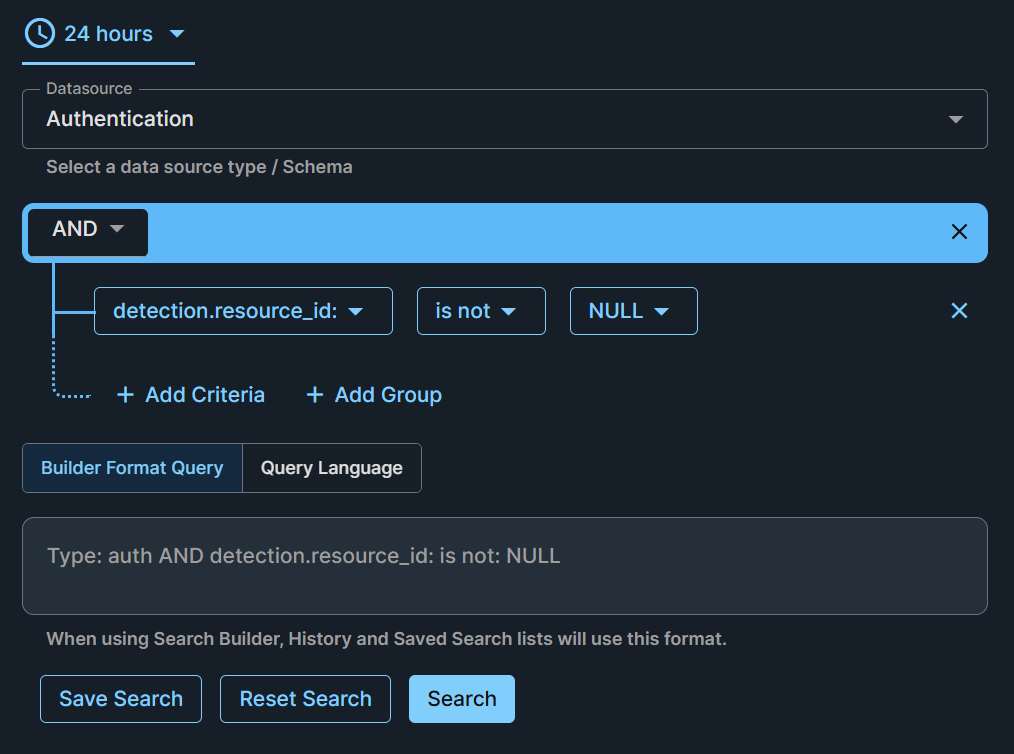
Use the examples below to efficiently filter and identify events of security interest that have generated detections, enhancing your ability to monitor and respond to potential threats.
Examples🔗
The following search examples can be used in Data Lake Search Builder in XDR. These are a few examples of how you can search and filter your data.
Multi-Event Searches🔗
To search for multiple event types at once, select the checkboxes at the left of the desired types from the Datasource drop-down menu.
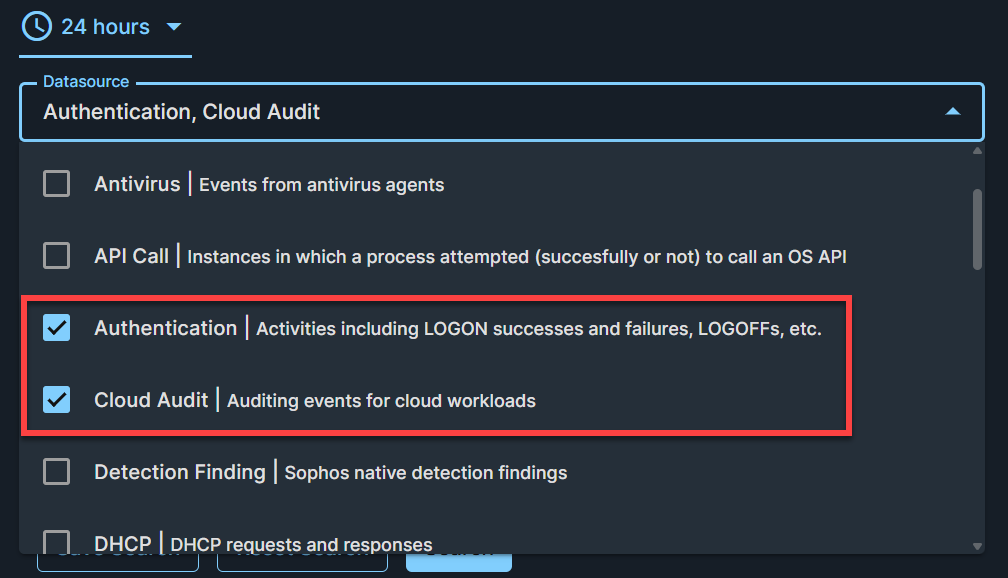
Example
Search for Netflow and Auth Events for a Specific IP:
Filter Event Searches by Detections Examples🔗
Use the following example searches to efficiently filter and identify events of security interest that have generated detections, enhancing your ability to monitor and respond to potential threats.
Note
You can locate detection resource IDs in the JSON view of detections.
Examples
Search for Auth events that resulted in detections:
Search for Auth events with partial detection resource ID:
Detections Searches🔗
Examples
You can search by detection severity by selecting the severity term and entering a value between zero and one that aligns to the desired severity percentage. This search looks for detections that are high or critical severity:
To query detections for an integration of interest, use type detection and the desired app, detectionType, etc.
Search for Kerberoasting detections:
Search for detections from Amazon GuardDuty: