Sophos Endpoint Agent Troubleshooting from the App UI🔗
You can troubleshoot Sophos Agent issues using the built-in tools in the Windows app interface. These tools help you gather information, identify possible causes, and create logs for Support.
Troubleshooting Tools🔗
- Endpoint Self Help: Gather data about problems and identify possible causes.
- Sophos Diagnostic Utility (SDU): Generate logs that Support can use to investigate issues.
Use Endpoint Self Help🔗
Follow these steps to use Endpoint Self Help:
- Select About in the lower right of the page.
Tip
You can update Sophos Agent using the Update Now button on the About page.
-
On the About page, select Open Endpoint Self Help Tool.
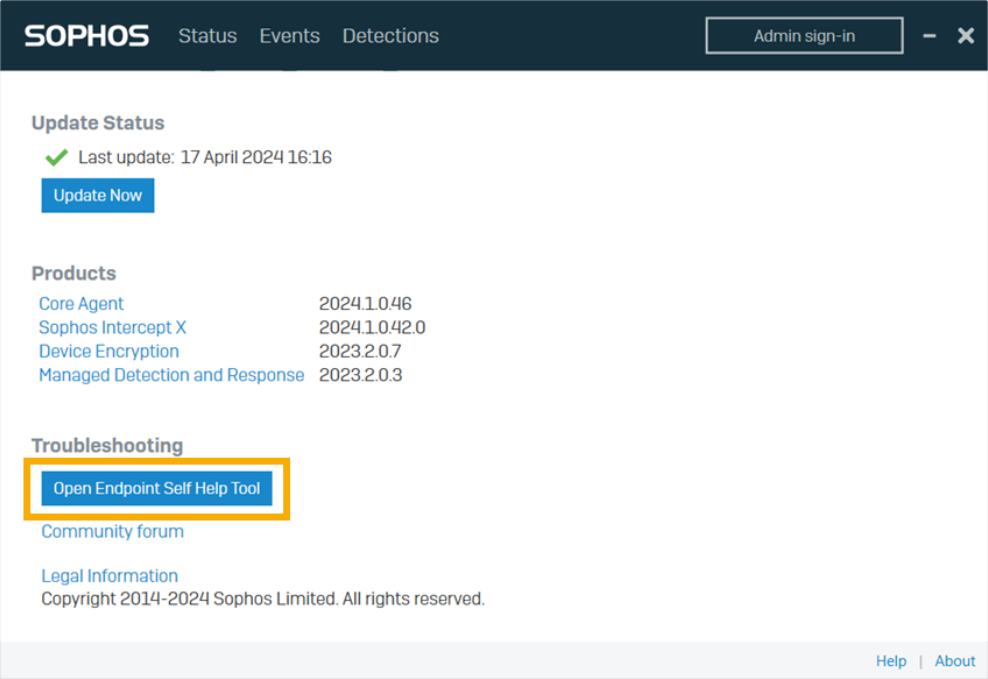
Self Help Tool -
The Endpoint Self Help tool opens. You can review diagnostic information or follow the link to the Sophos Community Forum.
Use Sophos Diagnostic Utility🔗
The Sophos Diagnostic Utility (SDU) collects logs that help Support analyze and resolve issues. You can run SDU from the user interface or the command line.
- The user interface version collects a standard set of logs.
- The command-line version allows you to specify log types and export options.
Note
You can use the command-line SDU to generate forensic logs for incident response teams. For more information, see the Forensic Logs section in Sophos product documentation.
Run SDU from the User Interface🔗
To run SDU from the app interface:
- Select About in the lower right of the page.
-
In the Endpoint Self Help tool, select Launch SDU.
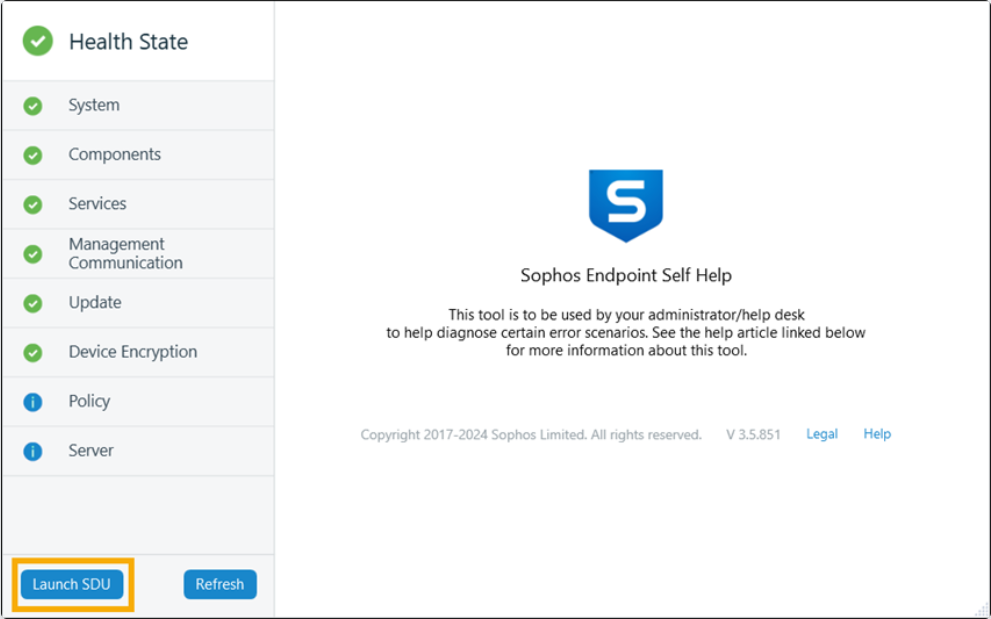
Run SDU -
On the SDU page, select Start. The tool collects log information about Sophos products on your device.
- When log collection finishes, select Submit to send the logs to Sophos.