Case Templates🔗
You can create case templates that populate a case's status, assignee, severity, type, title, and Key Findings section.
Create Case Templates🔗
To create a case template, do as follows:
-
From the Taegis Menu, select Cases > Templates.
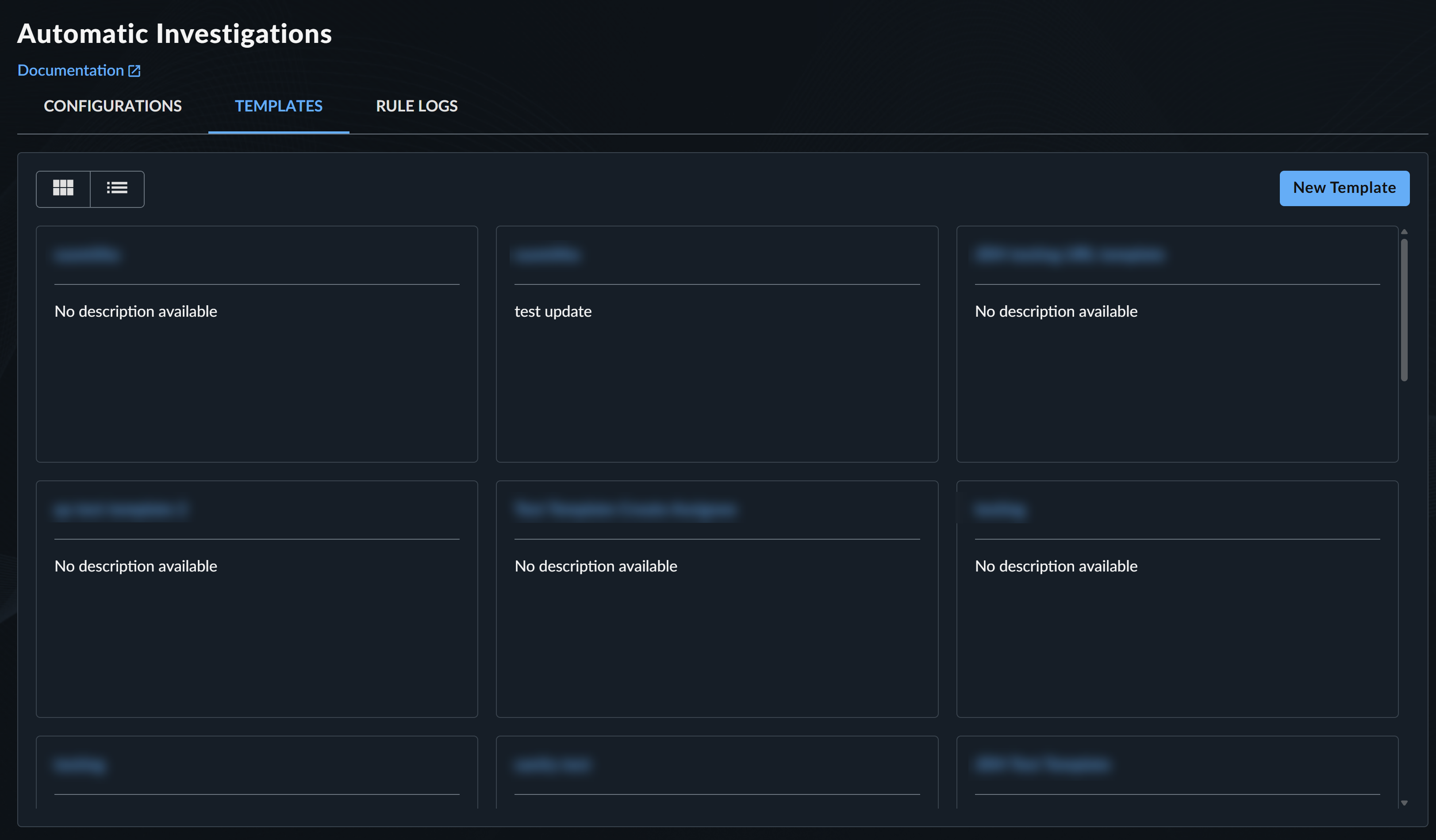
Automatic Case Templates -
Select New Template.
- In Create New Case Template, enter a template title and an optional description to help you and others using the template know the template's purpose.
- Select the case types the template can be used for.
-
Click Save and Continue. The template is created and added to the table.
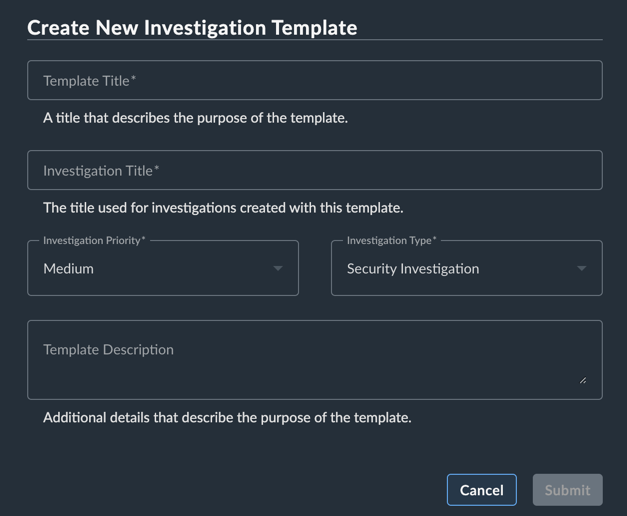
Create New Template -
Follow the steps in the next section to add values, edit the case title and Key Findings, and add tags.
Edit Case Templates🔗
To edit a case template, do as follows:
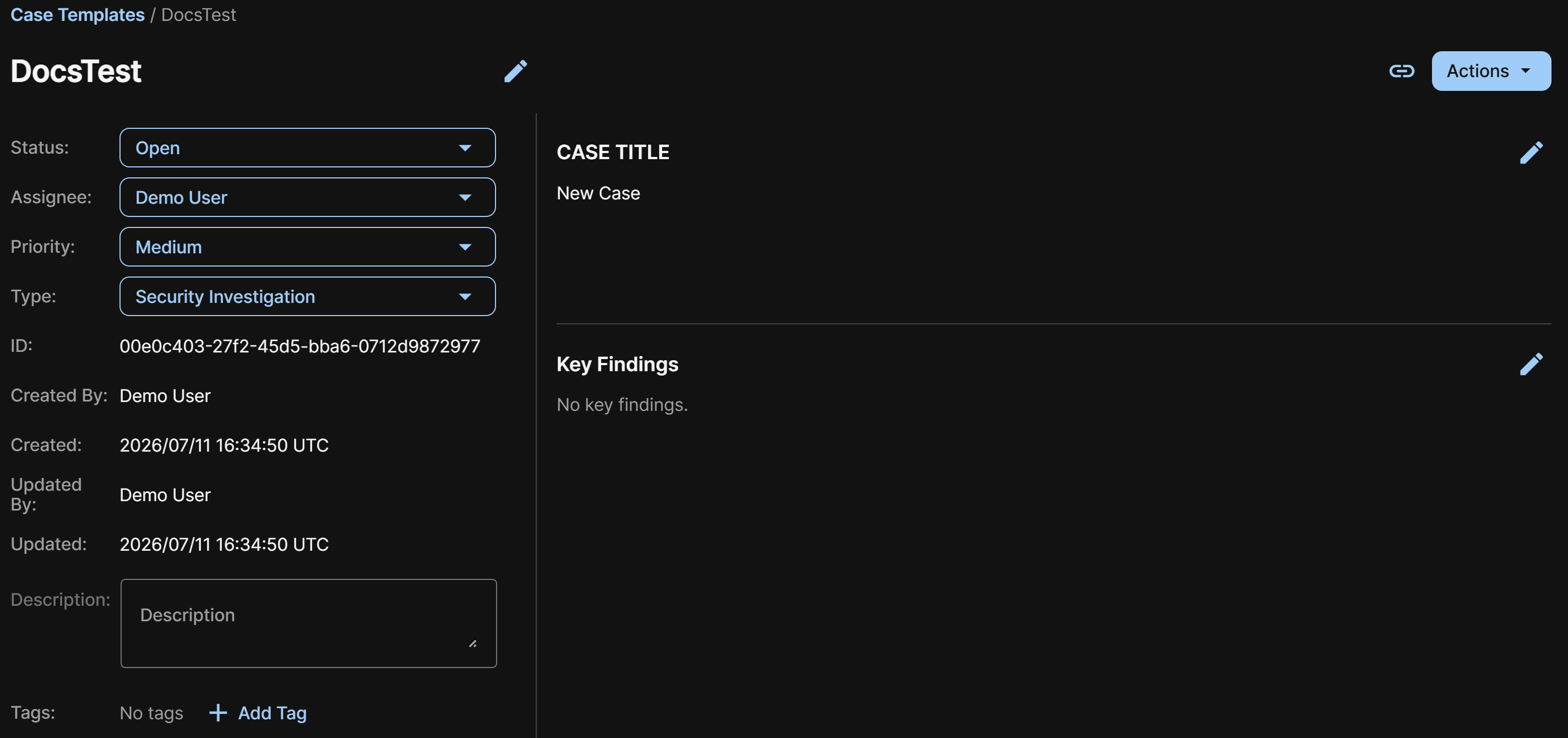
- On the Templates page, click the link in the Title column to see and edit the template details.
- In the Case Title section, click the Pencil icon and enter the title that will be assigned to cases created from this template, then click Save.
- In the Key Findings section, click the Pencil icon and enter the content that will be added to the Key Findings of cases created from this template, then click Save.
- Select the Status, Assignee, Priority, and Type for cases created from this template. For details, see Work a Case.
- (Optional) Add a description and one or more tags to organize the template.
Important
- You can't set the Assignee of automatic cases to Secureworks, only to the tenant or a registered tenant user. For assistance with a case created by customer-created auto case rules, request help through chat or
@secureworksin a case comment. - Email notifications are only sent for cases opened with the Status set to Awaiting Action.
Share Case Templates🔗
To share a case template with another user within the tenant, click the Share icon at the top of the template details page for a direct URL.
Delete Case Templates🔗
To delete a case template, click Actions > Delete Template on a template details page.