Create Query Categories 🔗
Live Endpoint Search is only available for devices with the Sophos Endpoint Agent.
You can create custom categories to organize predefined and custom Live Endpoint Search queries. For example, you can put the queries you run most often into their own category.
Create a category🔗
To create a category, do as follows:
- From the Taegis Menu, go to Advanced Search > Live Endpoint Search.
-
Click Add New in the Categories menu.
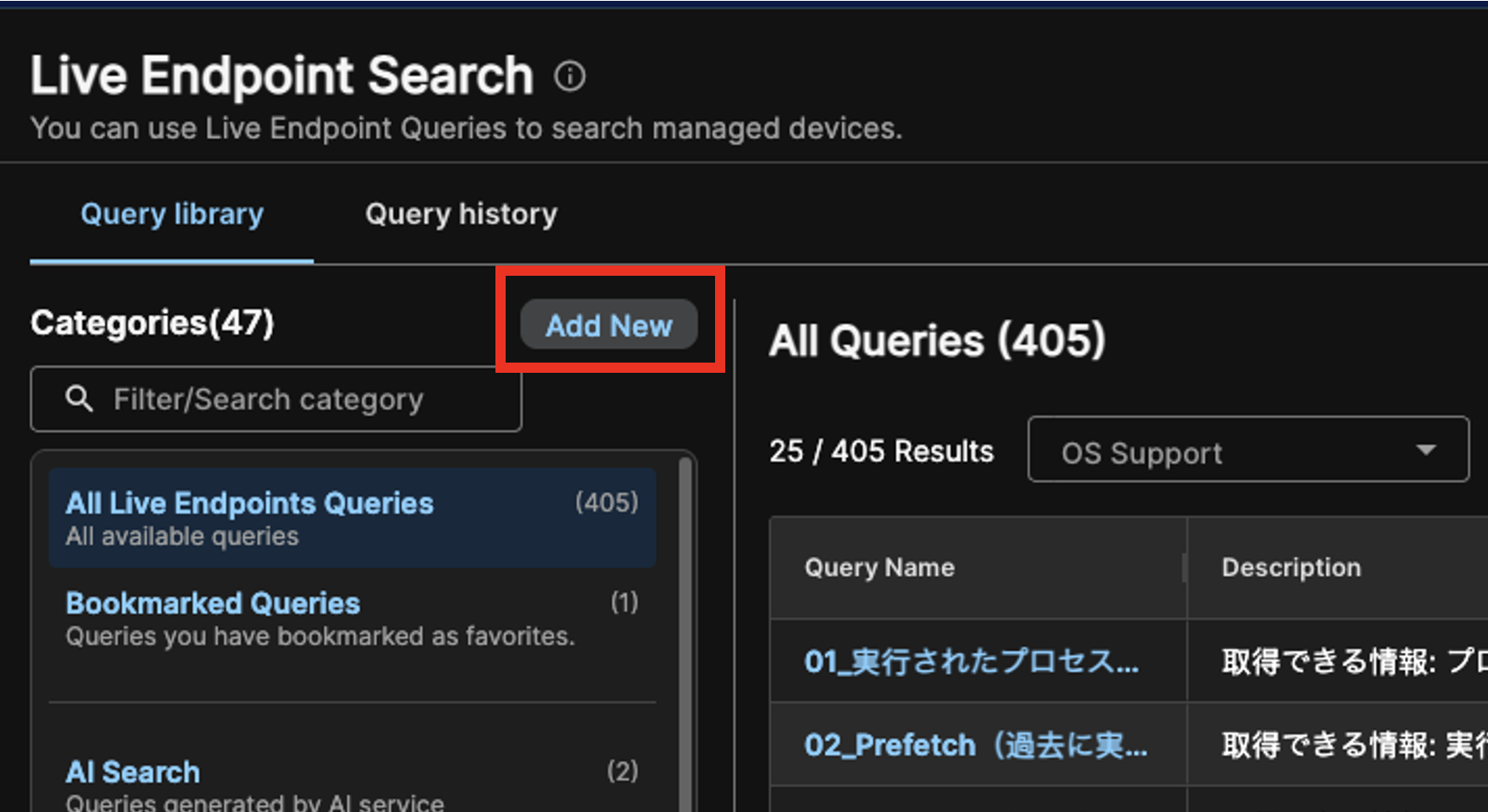
Add New Category -
Enter a name and description.
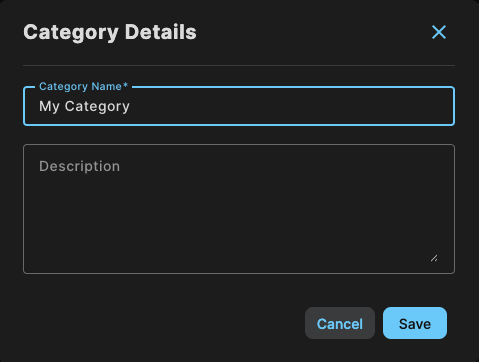
Enter Category Details -
Click Save.
You can now select your new category when you create or edit a query.
Edit a custom category🔗
You can edit custom categories, but can't edit predefined categories. Do as follows:
- From the Taegis Menu, go to Advanced Search > Live Endpoint Search.
- Click the custom category you want to update in the Categories menu.
- Click the Pencil icon at the top right of the category panel.
- Edit the name or description.
- Click Save.
Delete a custom category🔗
You can delete custom categories, but can't delete predefined categories. Deleting a category doesn't delete the queries in it. Queries remain in All Queries and any other categories they're in.
To delete a custom category, do as follows:
- From the Taegis Menu, go to Advanced Search > Live Endpoint Search.
- Click the custom category you want to delete in the Categories menu.
- Click the Trash icon at the top right of the category panel.