Identity GraphQL APIの利用開始🔗
重要
先に、API認証の手順を完了し、動作するclient_idとclient_secretを取得してください。
地域
XDR APIにアクセスするためのURLは、お客様の環境が展開されているリージョンによって異なる場合があります。
- US1—
https://api.ctpx.secureworks.com - US2—
https://api.delta.taegis.secureworks.com - US3—
https://api.foxtrot.taegis.secureworks.com - EU1—
https://api.echo.taegis.secureworks.com - EU2—
https://api.golf.taegis.secureworks.com
このXDR APIドキュメントの例では、https://api.ctpx.secureworks.com を使用しています。別のリージョンをご利用の場合は、適切なURLに置き換えてください。
認証情報が作成されたら、ApolloやAltairなどのツールを使用して、エンドポイントや利用可能なクエリを確認できます。
ID API🔗
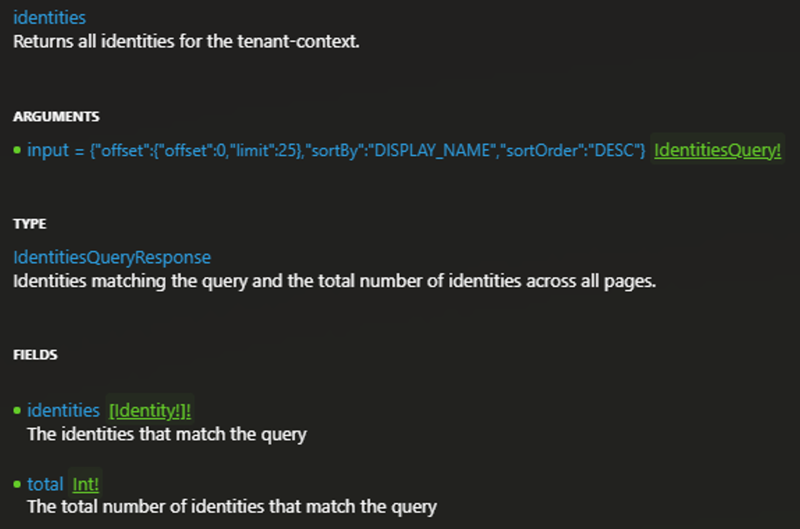
IDクエリの例🔗
以下のサンプルクエリは、stale: trueを入力フィルターとして使用し、休眠/古いIDを検索します。
{
  identities(
    input: {
      offset: { offset: 0, limit: 25 }
      stale: true
      sortBy: DISPLAY_NAME
      sortOrder: DESC
    }
  ) {
    identities {
      manager
      externalId
      displayName
      givenName
      surname
      status
      title
      department
      emails
      phoneNumbers
      userNames
      legacyEntities
      createdAt
      ingestedAt
      lastUpdated
      employeeType
      hireDate
      leaveDate
      lastPasswordChangeAt
      isAdmin
      isGuest
      hasMfa
      hasPasswordlessMfa
      primaryMfaMethod
      mfaMethods
      lastActiveAt
      properties
      country
      region
      city
      zipCode
      officeLocation
      officeZipCode
      usageLocation
      icon
      tags
      isCompromised
    }
    total
  }
}
検出結果API🔗
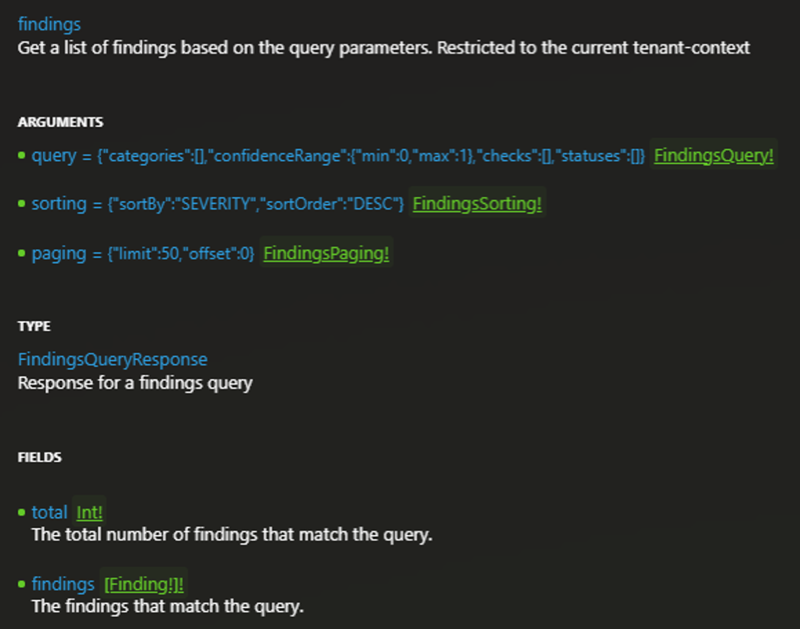
検出結果クエリの例🔗
以下のサンプルクエリは、検出結果のリストと関連する詳細を取得します。ステータス、カテゴリ、リミットでクエリを調整できます。
{
  findings(
    query: {
      categories: []
      confidenceRange: { min: 0, max: 1 }
      checks: []
      statuses: []
    }
    sorting: { sortBy: SEVERITY, sortOrder: DESC }
    paging: { limit: 50, offset: 0 }
  ) {
    total
    findings {
      id
      primaryReference {
        type
        displayName
      }
      otherReferences {
        type
        displayName
      }
      severityLabel
      status
      statusCommentsUser
      statusComments
      firstSeen
      lastSeen
      lastModified
      closedAt
      check {
        title
        description
        risk
        details
        remediation
        category
        module
        tags
      }
      source {
        type
      }
    result
    }
  }
}
資格情報侵害API🔗
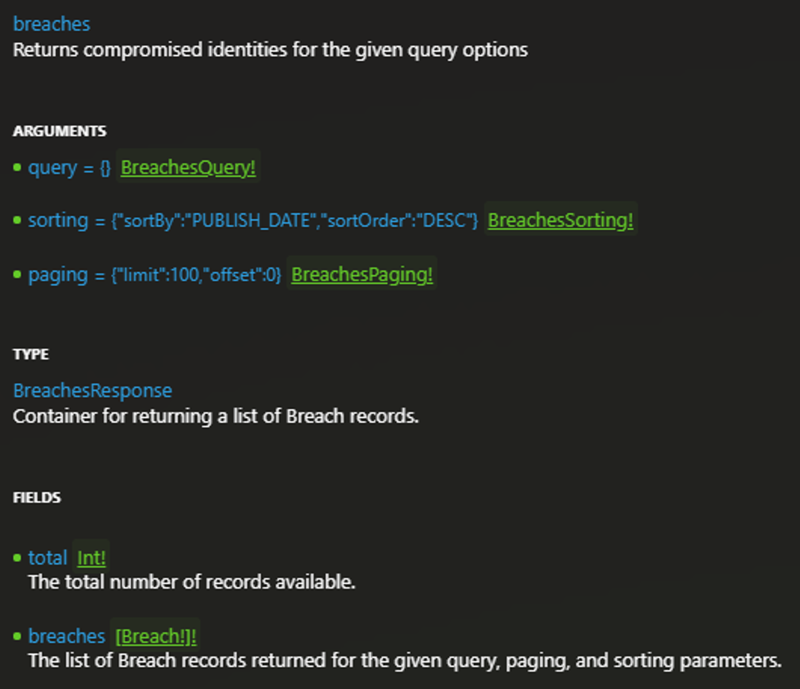
資格情報侵害クエリの例🔗
以下のサンプルクエリは、侵害のリストを取得します。
{
  breaches(
    query: {}
    sorting: { sortBy: PUBLISH_DATE, sortOrder: DESC }
    paging: { limit: 100, offset: 0 }
  ) {
    total
    breaches {
      date
      domain
      username
      isActive
      plaintextPassword
      hashPassword
      publishDate
      identity {
        displayName
        title
        lastPasswordChangeAt
      }
      tenant {
        name
      }
      createdAt
      updatedAt
      inactiveAt
      maskedPassword
    }
  }
}
次のステップ🔗
詳細については、以下のドキュメントを参照してください。