Bulk Import IP Ranges🔗
This article reviews how to use the API to statically import a large list of IP ranges.
-
Make sure you have API credentials: start by creating a new API Client ID and use it through the built-in Swagger UI to fetch the authentication token to use in your scripted request. The
<TOKEN_BEARER>authentication token can be seen when using the created Client ID to authorize towards your instance's API. -
Navigate to
https://<YOUR_INSTANCE>.vdr.secureworks.com/api/v2/spec#/. -
Select Authorize to create a token.
-
To execute any GET call from the Swagger UI interface, select Try it out then Execute.
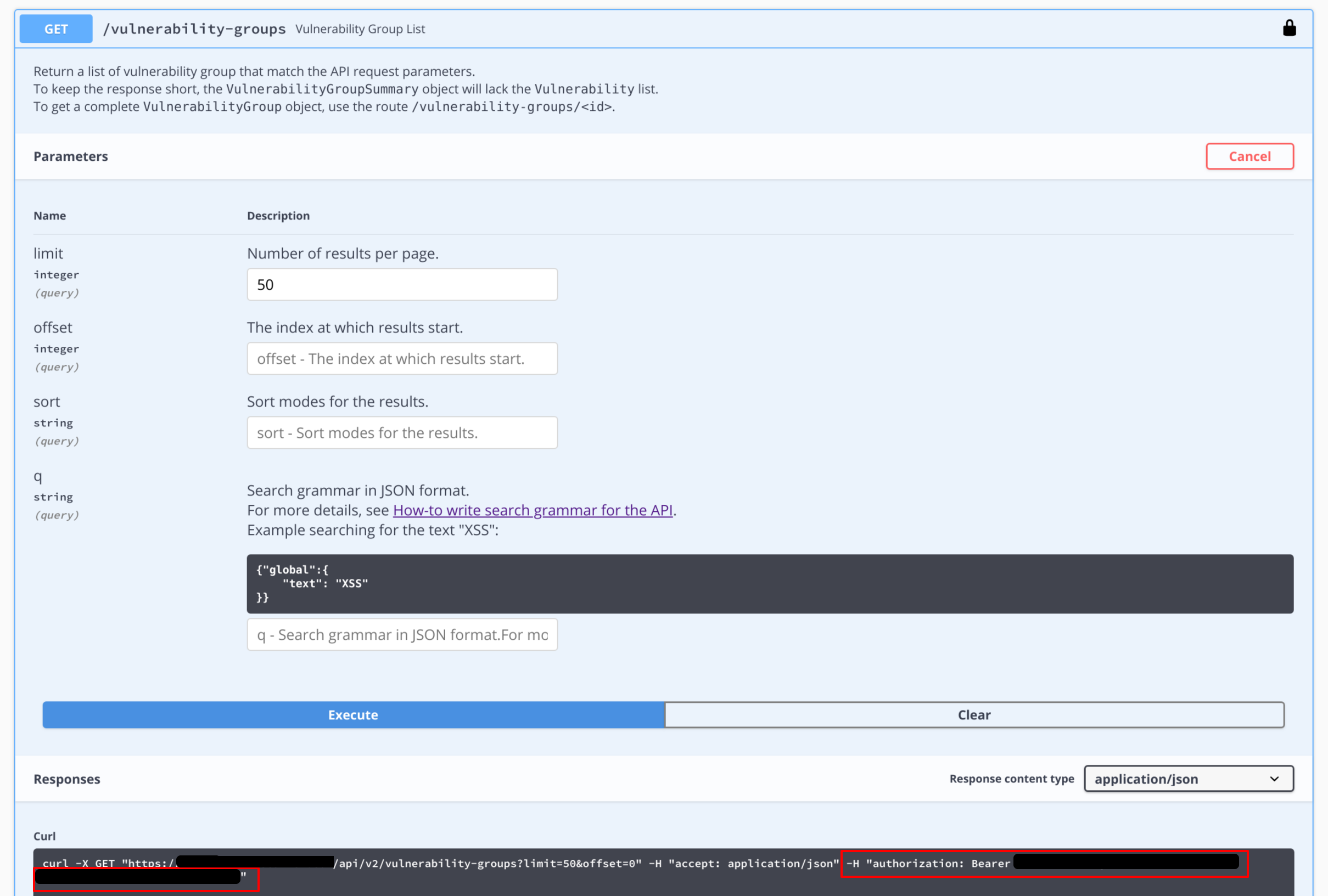
Execute GET in Swagger -
The
<TEAM>in which the ranges need to be added can be fetched from from the URL when navigating the interface in the same team.
Tip
This request should be tested with only one range prior to running it on a large number of ranges.
Example: Bulk import of External IP range:
for i in cat ranges_list.txt | sed 's/,;//g' | tr '\\r' ' '; do curl -X POST "<https://<INSTANCE>>.vdr.secureworks.com/api/v2/ranges" -H "accept: application/json" -H "authorization: Bearer <TOKEN_BEARER>" -H "Content-Type: application/json" -d "{\"teamId\": \"<TEAM>\", \"range\": \"$i\", \"kind\": \"range\"}";done;
Example: Bulk import of Internal IP range:
for i in cat ranges_list.txt | sed 's/,;//g' | tr '\\r' ' '; do curl -X POST "<https://<INSTANCE>>.vdr.secureworks.com/api/v2/ranges" -H "accept: application/json" -H "authorization: Bearer <TOKEN_BEARER>" -H "Content-Type: application/json" -d "{\"teamId\": \"<TEAM>\", \"range\": \"$i\", \"kind\": \"range\",\"edgeServiceId\": \"<EdgeService ID>\"}";done;
IP Formatting🔗
You must use the following format for the IP range: XXX.XXX.XXX.XXX/XX (Example: 10.20.0.0/24)
The following can be used to work from a CSV list of ranges to import them using the VDR API:
for i in `cat ranges_list.txt | sed 's/,;//g' | tr '\r' ' '`; do curl -X POST "https://<INSTANCE>.vdr.secureworks.com/api/v2/ranges" -H "accept: application/json" -H "authorization: Bearer <TOKEN_BEARER>" -H "Content-Type: application/json" -d "{\"teamId\": \"<TEAM>\", \"url\": \"$i\", \"kind\": \"range\"}";done;
Usage Notes🔗
-
To remove trailing characters so that your file only has one domain per line, use:
sed 's/,;//g' -
To remove the potential trailing Windows CR character, use:
tr '\r' ' ' -
The API returns different responses depending on the success of the call.
For example, if one of the fields has bad characters or invalid JSON data:
{"apiVersion":"2.0","detail":"The data provided within the request are not in a valid JSON format.","instance":null,"provided_data":" {\"teamId\": \"XXX\", \"url\": \"XXXXXX\", \"kind\": \"range\"}","request_json":null,"status":400,"title":"Invalid input data provided","type":null}
If a mandatory field is missing (in this example, kind is missing):
{"apiVersion":"2.0","detail":"The data provided within the request do not follow the awaited format. The format must represent a valid 'range' object. More details about the problem : {'kind': ['Missing data for required field.']}","instance":null,"request_json":{"teamId":"XXX","range":"xxx.xxx.xxx.xxx/xx"},"status":400,"title":"Invalid input data provided","type":null}
A successful call returns the following message for each added range:
{"creationDate":"2019-02-06T15:41:14+00:00","edgeServiceId":"0","id":"33411","isActive":false,"isDiscovered":false,"kind":"range","tags":[],"range":"xxx.xxx.xxx.xxx/xx"}
The required parameters for a public range are:
{
"kind": "range",
"range": "<Public range>",
"teamId": "<Team ID>"
}
For Private IP ranges, specifying Edge Service ID is mandatory.
{
"kind": "range",
"range": "<Public range>",
"teamId": "<Team ID>",
"edgeServiceId": "<Edge Service ID>"
}