Sophos Taegis MDR Plus🔗
This Service Description describes Sophos Taegis MDR Plus Service ("Service"). All capitalized terms in this Service Description have the meaning ascribed to them in the Agreement (defined below) or in the Glossary section below.
This Service Description is part of and incorporated into, as applicable: (i) Customer's manually or digitally-signed agreement with Sophos covering the purchase of a Service subscription; (ii) if no such signed agreement exists, then this Service Description will be governed by the terms of the Sophos End User Terms of Use posted at https://www.sophos.com/legal (collectively referred to as the "Agreement"). To the extent there is a conflict between the terms and conditions of the Agreement and this Service Description, the terms and conditions of this Service Description will take precedence.
Notwithstanding anything to the contrary in the Agreement, Customer acknowledges and agrees that: (i) Sophos may modify or update the Service from time to time without materially reducing or degrading its overall functionality; and (ii) Sophos may modify or update this Service Description at any time to accurately reflect the Service being provided, and any updated Service Description will become effective upon posting to https://www.sophos.com/legal.
Overview🔗
The Taegis MDR Plus Service (“Service”) provides Customer with security monitoring and investigations within Secureworks® Taegis™ XDR (“XDR”) 24 hours a day, 7 days a week (“24x7”). The Service includes Threat detection and Cases, Threat and proactive response actions, 24x7 access to Sophos® Security Analysts from within XDR, threat hunting, custom use case development, a Taegis technical account manager, Taegis professional services engagements, and additional support and features as described below. All capitalized words and phrases shall have the meanings set forth herein, as defined in the Glossary, or within the Sophos-applicable agreement, such as the Customer Relationship Agreement.
Note
“Endpoint” and “asset” are used interchangeably in this service description.
Note
For customers with more than one XDR tenant (i.e., Additional Managed Tenant): Service components and Service Level Agreements (“SLAs”) are applicable across all of Customer’s XDR tenants, unless otherwise specified below.
Service Components🔗
24x7 Access to Security Analysts🔗
Security Analysts are available 24x7 through the XDR in-application chat or ticket system, or through telephone.
Services for XDR🔗
Taegis MDR Plus customers receive four (4) Service Units for each 12-month period during the Services Term which can be used for Proactive Services or Emergency Incident Response requests that fall outside the scope of Unlimited Response (described below). See the Addendum ‐ Services for XDR and the Services for XDR Catalog for information. Additional Service Units can be purchased at any time during the Services Term.
In addition, Taegis MDR Plus customers are entitled to one (1) XDR Health Check engagement for each 12-month period during the Services Term. The scope of this Health Check is one (1) XDR tenant (additional XDR tenants can be added to scope by using additional Service Units). The XDR Health Check is a point-in-time evaluation of how Customer is leveraging the Sophos XDR platform and how automated processes, custom rules, reporting, and technology integration are benefitting the Customer’s security posture. The XDR Health Check must be requested by Customer and scheduled at least four (4) weeks in advance of the requested performance date. The Customer’s Success Manager will assist in scheduling the XDR Health Check. For complete information about the XDR Health Check engagement, please visit XDR Health Check.
Note
The utilization of Emergency Incident Response via Service Units cannot be applied to matters requiring privileged engagements with Customer’s legal counsel or involvement with cyber insurance carriers. For these types of matters, please contact Security Analysis via chat to start a Case engagement.
Threat Detection and Investigations🔗
Sophos will review and investigate Threats detected within XDR. Threats requiring further analysis as determined by Sophos will result in creation of a Case within XDR. Sophos will notify Customer through XDR, email, or supported integrations after enough evidence is collected and a Threat is deemed malicious, or if Sophos requires further input from Customer to proceed with the Case.
Sophos makes routine updates and changes to Taegis to proactively improve the services and Taegis experience for all customers; therefore, Customer may see customized suppression rules, event filter modifications, and detection tuning in XDR that is designed to minimize low-value detections and focus time on high-value detections.
Note
For customers with more than one XDR tenant (i.e., Additional Managed Tenant): Threats will be monitored, and cases will be created separately for each of Customer’s XDR tenants. Threat detection and cases will not be performed across multiple tenants together.
Response🔗
Sophos will perform supported Threat response actions within XDR on behalf of Customer, after receiving authorization from Customer. The most current list of supported actions can be provided to Customer upon request. For some supported actions, Customer may optionally authorize Sophos to perform proactive response actions (also known as pre-authorized containment actions) using Customer-created playbooks within XDR. For Customers with Proactive Response, see Proactive Response Actions Overview for information.
Note
For customers with more than one XDR tenant (i.e., Additional Managed Tenant): Threat response actions will be performed separately for each of Customer’s XDR tenants. Threat response actions will not be performed across multiple tenants together.
If malicious activity is observable within Taegis and has been confirmed by Sophos as an active threat, then Sophos will take additional response actions - referred to as Unlimited Response. Activity related to Customer-authorized penetration, vulnerability, or technical testing does not qualify for Unlimited Response. All of the following criteria must be met when Sophos is determining whether Unlimited Response is required:
- Observed activity in Customer’s environment, which is occurring on active reporting assets in scope for Customer’s XDR subscription, is indicative of human adversary presence (e.g., evidence of successful lateral movement, data exfiltration, credential access, privilege escalation)
- Adversary activity or Security Incident originates from a Case created by Sophos
- Systems related to the Threat are actively sending telemetry to Taegis through a supported integration for at least the past 7 days prior to malicious activity occurring
Unlimited Response includes only the following activities:
- Endpoint analysis for telemetry located within Taegis
- Network analysis from network sensors that are integrated with Taegis
- Malicious code analysis for malware discovered as a result of a Sophos response engagement
- Log analysis for data collected from supported integrations available within Taegis
- Triage data for endpoints actively sending telemetry data to Taegis
- Response actions supported within Taegis (see Proactive Response Actions Overview)
Note
The utilization of unlimited response cannot be applied to matters requiring privileged engagements with Customer’s legal counsel or involvement with cyber insurance carriers. For these types of matters, please contact Security Analysis via chat to start a Case engagement.
Sophos will provide Customer with written updates on Security Incident status, including information about activities performed and any notable findings. Findings will be communicated with Customer upon discovery. Upon completion of activities for Unlimited Response, Sophos will send to Customer a Case report containing Case details and recommendations. This report is delivered to Customer within the Case in XDR, and upon delivery of the report, the Case is considered closed. During the Unlimited Response process, if correspondence from Customer is requested by Sophos and no correspondence is provided within 72 hours, the Case will also be considered closed. If Customer makes multiple requests for Unlimited Response due to activity with the same root cause, then Customer must implement Sophos-recommended security posture changes to continue qualifying for Unlimited Response.
Threat Hunting🔗
Sophos will conduct Threat Hunting through XDR from supported integrations. Sophos will inspect collected Customer telemetry to detect activity such as threat actors (through their tactics, techniques, and procedures — “TTPs”); anomalous user activity, network communications, and application usage; and persistence mechanisms. In addition, Sophos conducts Threat Hunting weekly across customers’ information technology (“IT”) environments for relevant indicators of compromise and tactics collected from current incident response engagements. Threats detected as part of Threat Hunting will result in creation of a Case and Customer notification through XDR, email, or supported integrations.
Note
For customers with more than one XDR tenant (i.e., Additional Managed Tenant): Threat Hunting will be conducted separately for each of Customer’s XDR tenants weekly.
Technical Account Manager🔗
Customer will be assigned a named Technical Account Manager (“TAM”) to provide Taegis technical expertise and personalized guidance. The TAM will perform the following responsibilities:
- Review all logged support requests to facilitate timely, high-quality handling, and resolution
- Offer Taegis tips, best practices, guidance, and technical expertise
- Conduct quarterly account reviews
- Partner with Customer to understand specific business and security needs and maximize the benefits from the Taegis solution
- Provide advanced notification of product enhancements, updates, upgrades, and advisories
- Provide expert technical advice, assisting you in determining the correct Taegis configuration to meet the needs of your organization and the evolving threat landscape
Custom Use Case Development🔗
Customer may request assistance from Sophos in building custom use cases within XDR. A Customer will contact their Technical Account Manager (“TAM”) to begin the development process. The XDR features included, as needed, in custom use case development are:
- Custom Detection Rules
- Advanced Search Queries
- Suppression Rules
- Tuning Rules
- Automatic Cases
- Automated Actions
- Response and Notification Playbooks
- Scheduled Reports
- Custom Widgets and Dashboards
- Notification Criteria and Escalation Policies
The following XDR features are out of scope for the component of the service, however Taegis Professional Services can be engaged to scope and perform work on these components:
- Custom Automation Connectors/Playbook
- Custom Data Source Parser
- Requests requiring enhancement to or development of new features within the Taegis platform
The custom use case development process includes triaging the Customer's initial request, clarifying or seeking additional information from the Customer for the request, configuring the above XDR features to accommodate the request, testing the configurations (if possible), and performing a maximum of one (1) revision of the configuration based on Customer feedback. After this process, the custom use case will be enabled for the Customer upon request.
If Customer desires any changes to a previously created custom use case, a request for updating the use case must be made by Customer. Alternatively, Customers may make any changes to custom use cases on their own through the XDR interface.
Taegis MDR Plus Customers may make up to four (4) requests for new or updated custom use cases each month.
Note
For customers with more than one XDR tenant (i.e., Additional Managed Tenant): A custom use case development request may include multiple tenants assuming the configuration of the use case is the same across all tenants. If adjustments need to be made for some or all of the additional tenants, a separate custom use case development request must be opened for each tenant with a different configuration.
Sophos Threat Intelligence🔗
XDR is powered by Sophos Threat Intelligence. Customer network and endpoint telemetry is continually compared against network, endpoint, and behavioral indicators to identify threats within Customer's IT environment.
Continuous Improvements🔗
Sophos will recommend continuous improvements to Customer’s security posture. For Taegis MDR Plus customers, Sophos will provide quarterly threat trends, program goals, notable activity in XDR, and provide recommendations for improvement. On an ad-hoc basis, Sophos, in its sole discretion, may engage additional Sophos experts to provide the support outlined in this section.
Note
For customers with more than one XDR tenant (i.e., Additional Managed Tenant): Customer will receive unified reports and recommendations at the Customer level rather than a specific tenant-level review. However, notable activity in XDR including detections, cases, and threat hunts will be provided for each of Customer’s XDR tenants.
Service Phases🔗
There are two primary phases for delivering the Service: Onboarding and Steady State.
Onboarding🔗
Prior to onboarding and deployment, Sophos will activate Customer's Service by provisioning access to Customer's instance of XDR, which will also provide Customer with access to:
- Online documentation
- Instructions to access and deploy the Taegis Endpoint Agent
Customer is responsible for deployment of the Taegis Endpoint Agent or other supported third-party Endpoint Agent, as well as the XDR Collector in Customer's environment. Instructions for downloading the XDR Collector are located in the online documentation. Sophos will assist Customer remotely through teleconference with questions during this process, as needed.
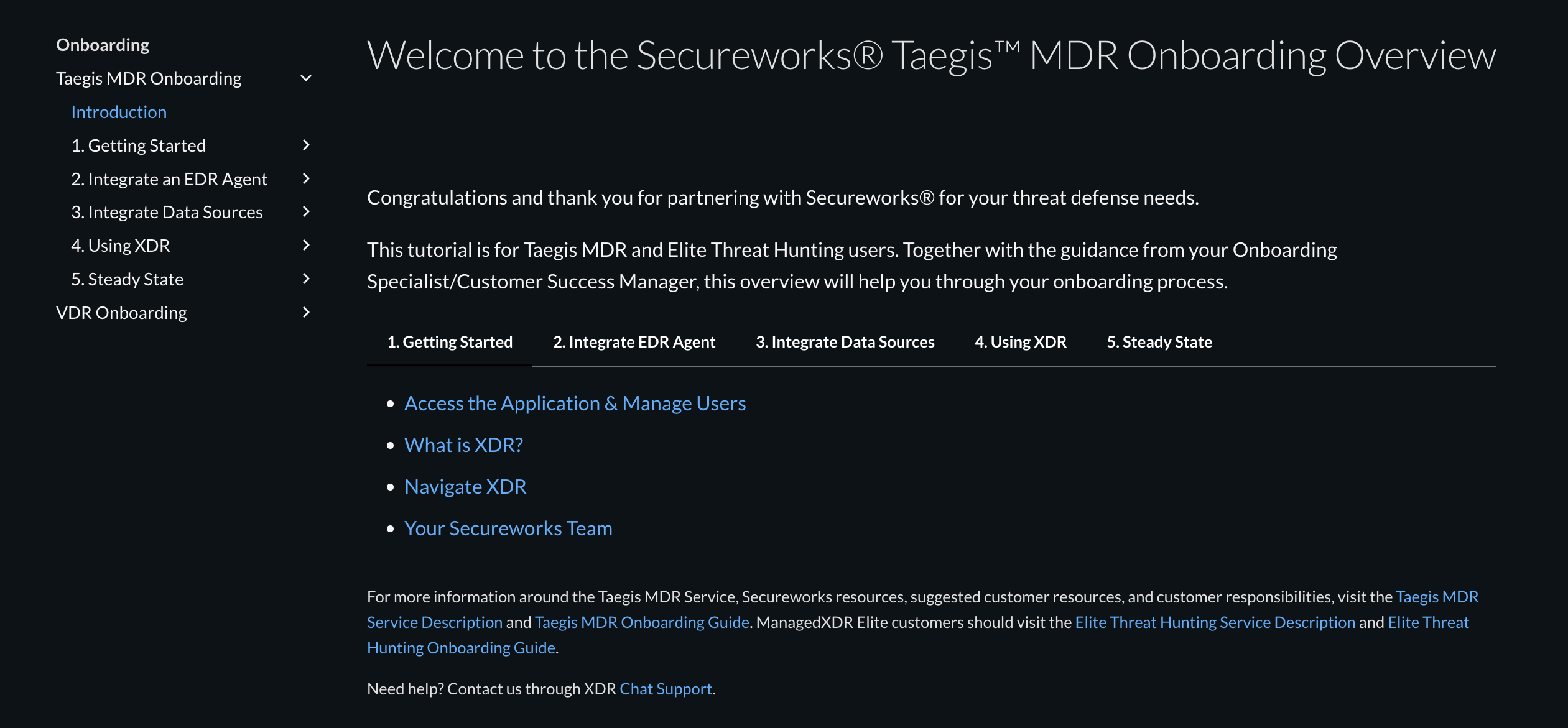
While Sophos considers onboarding complete and the Security Case service level set forth below to apply when Customer has deployed at least 40% of its Licensed Volume (e.g., deployed compatible Endpoint Agents to endpoints) and Customer has acknowledged completion of the training videos within parts one and four of the Secureworks® Taegis™ MDR Onboarding Overview, Sophos highly recommends that Customer completely deploy the Secureworks® Taegis™/Red Cloak Endpoint Agent (or other compatible Endpoint Agent) on all endpoints—up to Customer’s Licensed Volume—to maximize the effectiveness of the Taegis MDR Plus service. Until completely deployed, Customer understands, agrees, and accepts the risk that the Taegis MDR Plus service will have reduced capabilities for Customer’s environment. See the Taegis MDR Onboarding Guide for more details on these limitations.
Note
Note to customers with more than one XDR tenant (i.e., Additional Managed Tenant): Sophos will provision access to each instance of Customer’s XDR tenants. Customer is responsible for deploying Endpoint Agents and data collectors for each of Customer’s XDR tenants. To reach Steady State for each tenant, at least 40% of the allocated Licensed Volume for that tenant must be deployed and Customer representative for each tenant must acknowledge completion of the training videos within parts one and four of the Taegis MDR Onboarding Overview. During onboarding, Sophos will work with Customer to determine and document the initial allocation of Licensed Volume for each tenant. After Steady State is reached, Customer has the flexibility to re-allocate the total amount of Endpoint Agents (according to Customer’s Licensed Volume) across each of Customer’s XDR tenants at their discretion. Sophos strongly recommends Enablement Plus to support the complexity and project management required to onboard more than one tenant.
Steady State🔗
Steady State monitoring and Elite Threat Hunting for Customer’s environment commences when Customer has deployed at least 40% of its Licensed Volume (i.e., deployed compatible Endpoint Agents to endpoints) and Customer has acknowledged completion of the training videos within parts one and four of the Taegis MDR Onboarding Overview.
During the beginning of Steady State, Customer’s CSM will contact Customer to schedule the Initial Baseline Review.
| Phase | Activities |
|---|---|
| Onboarding | Timing: From XDR activation until Steady State begins Collect details about Customer including the following:
|
| Initial Baseline Review | Timing: Approximately four (4) weeks after Steady State monitoring begins
|
| Quarterly Updates | Timing: Quarterly after the Initial Baseline Review is conducted
|
Customer Obligations🔗
Customer is required to perform the obligations listed below, and acknowledges and agrees that the ability of Sophos to perform its obligations hereunder, including meeting the Service Level Agreements ("SLAs") listed further below, are dependent on Customer's compliance with these obligations. Noncompliance with Customer obligations relative to this Service may result in limitations and reduced service capabilities, suspension of managed components of the Service and/or SLAs, or a transition to monitor-only components of the Service.
Note
For customers with more than one XDR tenant (i.e., Additional Managed Tenant): The Customer Obligations listed below are required and applicable to each of Customer’s XDR tenants.
Customer will do the following:
- Ensure that Customer’s IT environment has a compatible Endpoint Agent installed on each endpoint that will be licensed for the Service
- Deploy a compatible Endpoint Agent on each endpoint (as explained above, once at least 40% of Licensed Volume is deployed, the transition to Steady State can begin)
- Obtain licenses and/or support for third-party Endpoint Agents from authorized sources
- Ensure availability of sufficient network bandwidth and access to perform the Service
- Perform ongoing monitoring of active integrations and Customer’s associated health to ensure the Service is operating optimally
- Provide appropriate access to Sophos for integrations as required by XDR
- Ensure its security controls are operating on versions supported by Sophos integrations
- Manage credentials and permissions for integrations with XDR
- Ensure list of Customer’s authorized contacts remains current, including permissions and associated information
- Provide information and assistance (e.g., files, logs, IT environment context) promptly during Cases that Sophos conducts for Threats against Customer
- Schedule reports and conduct ad-hoc reporting within XDR
- Ensure internal support for creation and management of custom rules (i.e., custom detection and analysis) as these will vary across customers and will not be supported by Sophos
Service Level Agreements ("SLAs")🔗
The ability of Sophos to perform a Case and decide whether a Threat is malicious is dependent on a compatible Endpoint Agent being installed on a licensed endpoint in Customer’s IT environment. The service levels below apply to endpoints that are licensed as part of the Service and are actively communicating with the Sophos infrastructure.
Note
The only type of Case for which Sophos provides an SLA is the Security Investigation; no SLA is provided for any other type of Case.
| Service Level | Definition | Measure | Target | Credit |
|---|---|---|---|---|
| Security Investigation | Sophos will monitor XDR for Threats. When malicious activity is detected, Sophos will create a Case, provide an analysis, and notify Customer. Sophos will notify Customer electronically which may include using XDR, email, or supported integrations. Subsequent related activity identified as part of the ongoing Case or monitoring will be appended to an existing Case. |
Time from Case-created timestamp to Customer-notified timestamp as measured by Sophos | Less than 60 minutes | 1/100th of the monthly Service fee if difference between the timestamps is 60-240 minutes 1/30th of the monthly Service fee if difference between the timestamps is greater than 240 minutes Maximum of one credit will be given per calendar day (based on US Eastern time zone) |
| Service Level | Definition | Credit |
|---|---|---|
| Unlimited Response | Urgent requests for Unlimited Response submitted through the IR Hotline, the XDR in-application chat, or the ticketing system within XDR will be acknowledged by the Sophos team within four (4) hours. | 1/100th of the monthly Service fee for each calendar day (based on US Eastern time zone) that the SLA is not met |
Warranty Exclusion🔗
While this Service is intended to reduce risk, it is impossible to completely eliminate risk, and therefore Sophos makes no guarantee that intrusion, compromises, or any other unauthorized activity will not occur on Customer’s network.
Additional Information🔗
Billing for the Service begins at the same time as billing for XDR, which occurs when the login credentials for XDR are sent to Customer through email. Contact account manager or refer to the official terms as stated on Customer’s Transaction Document from purchase for the most up-to-date details.
See the Taegis documentation for information about compatible browsers, integrations, detectors, dashboards, and training. Other information is also available, including release notes.
Glossary🔗
| Term | Definition |
|---|---|
| Additional Managed Tenant | An add-on service for Taegis MDR and Elite Threat Hunting that provides Customer with more than one XDR tenant. |
| Detection | Prioritized occurrences of suspicious or malicious behavior detected by a detector within XDR. |
| Endpoint Agent | An application installed on an endpoint that is used to gather and send information about activities and operating system details of the endpoint to XDR for analysis and detection of Threats. Use this link to access the list of Endpoint Agents that are compatible with XDR: endpoints. |
| Integration | Application Programming Interface (“API”) calls or other software scripts for conducting the agreed-upon Services for the connected technology. |
| Case | A central location within XDR that is used to collect evidence, analysis, and recommendations related to a Threat that may be targeting an asset in a Customer’s IT environment. Cases are categorized into types, such as Security and Incident Response. |
| Security Analyst | A Sophos security expert who analyzes detections deemed High and Critical for customers, and creates and escalates Cases. Note: A Security Analyst may also be referred to as a Taegis MDR analyst or an MDR analyst across other Sophos documentation. |
| Security Incident | A XDR-generated circumstance in which a compromise or suspected compromise has occurred involving a Customer’s environment. |
| Security Investigation | A type of Case that is conducted for a Critical or High detection or event in XDR after a Security Analyst completes preliminary investigative procedures to determine whether a Threat is valid. |
| Service Level Agreements (“SLAs”) | A binding agreement to meet defined Service delivery standards. |
| Services Term | Period of time identified in the Transaction Document during which Services will be delivered to Customer. |
| Threat | Any activity identified by XDR that may cause harm to an asset in a Customer’s IT environment. |
| Threat Hunter | A designated Sophos security expert focused on Threat Hunting. |
| Threat Hunting | To proactively and iteratively discover current or historical threats that evade existing security mechanisms and to use that information to develop future countermeasures and increase cyber resilience. |